Temperature Converter
Celsius, Fahrenheit, Kelvin And Back
This temperature converter turns Celsius, Fahrenheit, Kelvin and Rankine into one another as you type. So one reading shows up in all four scales at once. It also uses the exact formula for each pair and prints the working, so you can check it. Because it all runs in this tab, nothing you type is uploaded or stored.
- FreePrice
- C, F, K, RScales
- Both waysDirection
- NoneUploads
Temperature Converter
Celsius, Fahrenheit, Kelvin and Rankine, all from one value
- Celsius
- Fahrenheit
- Kelvin
- Rankine
Type a temperature to see it in every scale.
What A Temperature Converter Does
A temperature is a point on a scale, not an amount of something. So you cannot just multiply to move between scales, the way you do with metres and feet. Celsius, Fahrenheit and Kelvin each start at a different zero, and each counts in a different size of step.
This temperature converter closes that gap. Because it holds the exact formula for every pair of scales, it moves a reading without the rounding drift you get by hand. For more detail, see the Wikipedia article on the Celsius scale.
Next to the answer, the page shows the formula it used. For example, Celsius becomes Fahrenheit by multiplying by 9/5 and then adding 32. The page prints that line, so the number is never a mystery.
It converts in every direction at once. So you type one value, and Celsius, Fahrenheit, Kelvin and Rankine all update together. That saves you flipping one pair back and forth.
Also, nothing leaves this tab. So a figure from a lab notebook, a recipe or a weather note is safe to type, because the maths happens in your browser and the page stores nothing.
How A Temperature Converter Works
First, the converter reads your number and its scale. Then it moves that reading to Celsius as a shared middle point, because every scale has a clean formula to and from Celsius.

Next, it sends that Celsius value out to the other three scales. One hop in and one hop out covers every pair. That is why the four rows always agree.
Each step is a straight line, not a lookup table. A scale is defined by where it starts and how big its degree is. So two numbers describe it fully, and the formula is exact.
The page also keeps far more digits than it shows. Therefore, the rounding on screen never feeds into the next conversion. A round trip from Celsius to Fahrenheit and back lands on the number you started with.
Why The Scales Need Offsets, Not Ratios
A length converter only multiplies, because zero metres is zero feet. However, temperature scales do not share a zero. So a plain multiply gives the wrong answer every time.
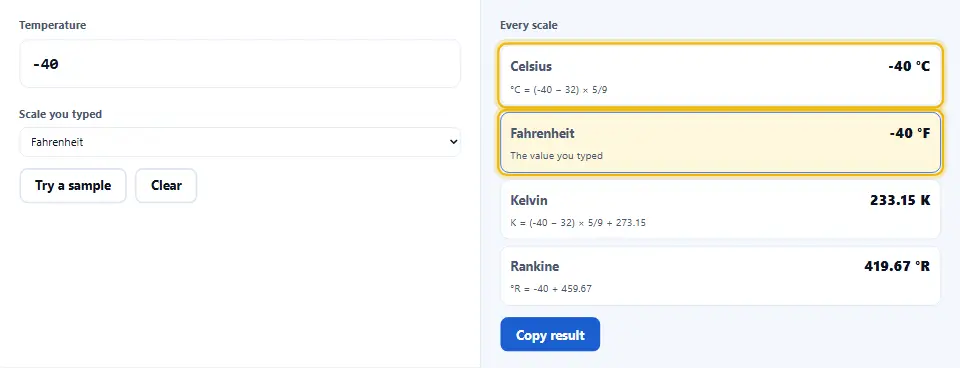
Celsius puts zero where water freezes, while Fahrenheit puts its zero far below that. So moving between them needs a stretch for the different degree size, and a shift for the different starting point.
Kelvin keeps the Celsius degree size but moves zero down to absolute zero, the coldest point there is. Hence Kelvin is simply Celsius plus 273.15, with no stretch at all.
In short, the stretch handles the size of a degree, and the shift handles where counting begins. Because this converter carries both for every scale, it never falls into the multiply-only trap.
Reference Points You Can Sanity-Check Against
A few fixed points make a quick check. For example, water freezes at 0 °C, 32 °F and 273.15 K. At sea level, it boils at 100 °C, 212 °F and 373.15 K.
Body temperature is about 37 °C, which is about 98.6 °F. So if a Fahrenheit answer for a fever lands far from the high nineties, a scale was picked wrong somewhere.
A comfortable room is about 20 to 22 °C, or roughly 68 to 72 °F. Also, a moderate oven is about 180 °C, which is close to 356 °F. That pair helps when a recipe uses the other scale.
Absolute zero is 0 K, which is -273.15 °C and -459.67 °F. Therefore, no real reading goes below those numbers, and the converter flags a value that tries to.
What This Temperature Converter Will Not Do
It will not measure anything. The page has no sensor, so it only converts the number you type. It is not a thermometer or a weather feed.
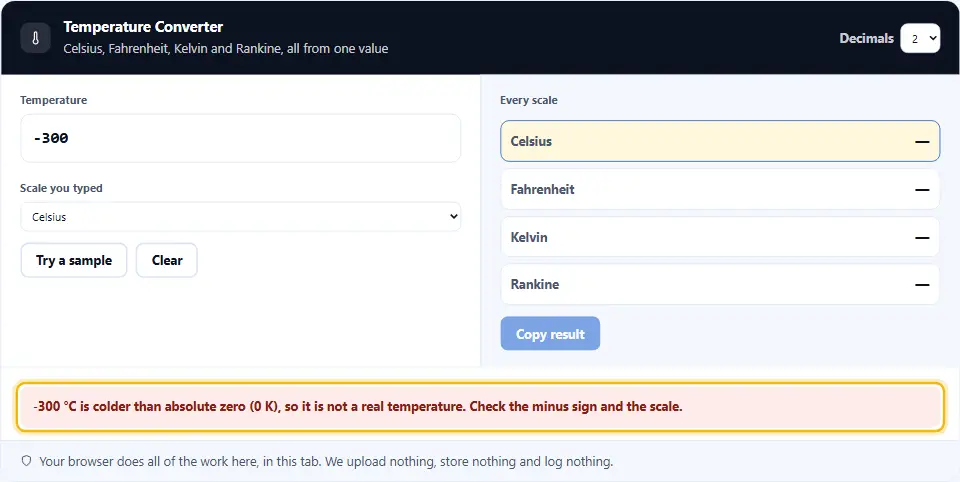
It will not accept an impossible reading in silence. Because nothing is colder than absolute zero, a value below 0 K is flagged, not converted. So a typo does not pass as a real temperature.
It will not give medical or cooking advice. It turns 39 °C into exactly 102.2 °F. However, whether that fever or that oven setting is right is a question for a doctor or a recipe.
It will not treat a degree like a percentage. Twice the number is not twice as hot, because the scales have offsets. So the page keeps that difference clear instead of pretending a ratio means something.
Watch the Temperature Converter in Action
A short video walks through every step. Then pick your language below, and turn on captions if you like.
How To Use The Temperature Converter
Four steps, and none of them need an account.
- 1
Type the temperature
Type any number, including a negative one or a decimal. Because the converter reads as you type, the other scales fill in before you finish.
- 2
Pick the scale you typed
Then pick the scale of that number: Celsius, Fahrenheit, Kelvin or Rankine. Since every row updates together, you only set the one you started from.
- 3
Read every scale at once
Next, read the matching value in each of the other scales, with the formula printed below it. So the answer and its working sit side by side.
- 4
Copy or round as you like
Finally, choose how many decimals to show and copy the result. After that, the figure is ready for your note, your recipe or your report.
Why Use This Temperature Converter
Five reasons, and each one saves a second guess.
It converts both ways at once
Because one value feeds every scale, you never flip one pair back and forth. So Celsius to Fahrenheit and Fahrenheit to Celsius happen on the same screen.
It shows the exact formula
Each answer prints the line that made it. Therefore, you can check the maths yourself instead of trusting a black box.
It keeps full precision
The page rounds only what it shows, not what it keeps. Hence a round trip returns the number you began with, with no drift.
It flags impossible readings
A value below absolute zero cannot exist, so the converter flags it. As a result, a slipped minus sign is caught, not converted.
Nothing uploads
The whole job runs in this browser tab. So a reading from a notebook or a patient chart is safe to type and leaves no trace.
Habits That Keep Temperature Maths Right
Six habits that keep a conversion honest.
- Write the scale next to the number On its own, 20 means little, but 20 °C is clear. Because a bare number hides the scale, a label stops the most common mix-up.
- Mind the minus sign A dropped minus sign turns a cold reading into a hot one. Therefore, check the sign first, since the scales run well below zero.
- Round at the end, not partway Each early rounding nudges the answer a little. Hence keep the full value until the last step, which is exactly what this page does for you.
- Use Kelvin for sums and ratios Because Kelvin starts at absolute zero, it is the scale where twice the number means twice the heat energy. So switch to Kelvin before any maths like that.
- Watch the sign on Kelvin Kelvin takes no degree sign and no word degrees, unlike Celsius and Fahrenheit. Still, the number converts the same way.
- Sanity-check against a known point Water freezes and boils at numbers you know. So compare a surprising answer with those, and a wrong scale shows up at once.
Six Ways Temperature Conversions Go Wrong
None of these breaks the maths, which is exactly why they slip through.
Multiplying without the offset
Treating Celsius to Fahrenheit as a plain times 1.8 forgets the plus 32. So the colder the reading, the further off the answer drifts.
Mixing up the direction
Because the two formulas look alike, it is easy to subtract when you should add. Then the result lands on the wrong side of the real value.
Reading Kelvin as Celsius
A Kelvin figure near 300 is room temperature, not boiling. However, read on a Celsius scale it looks scorching, so the label matters.
Forgetting the .15 in Kelvin
Kelvin is Celsius plus 273.15, not 273. So rounding the offset early loses a fraction of a degree, and that adds up in careful work.
Rounding too soon
An answer rounded at every step collects error. Hence a figure that looks exact can be a degree off once several conversions stack up.
Trusting a value below absolute zero
A reading under -273.15 °C is not real. So a converter that returns it quietly hides a typo instead of catching it.
Temperature Converter Questions
Is this temperature converter free?
Yes. There is no account, no limit and no paid tier. So you can convert as many readings as you like.
Does it upload what I type?
No. The whole job runs in this browser tab, and nothing is sent anywhere. So a reading from a chart or a lab stays with you.
Which scales does it cover?
It covers Celsius, Fahrenheit, Kelvin and Rankine. So all four common scales update from the one value you type.
How do I convert Celsius to Fahrenheit?
Multiply the Celsius value by 9/5, then add 32. So 20 °C becomes 68 °F, and the page prints that line for you.
How do I convert Fahrenheit to Celsius?
Subtract 32 first, then multiply by 5/9. So 98.6 °F becomes 37 °C, the reverse of the other direction.
What is Celsius to Kelvin?
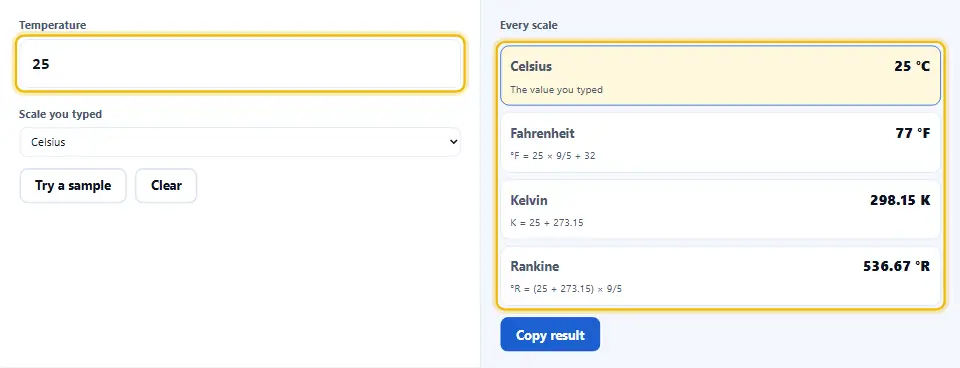
Add 273.15 to the Celsius value, with no stretch. So 25 °C is 298.15 K, because Kelvin only shifts the zero.
Why does Kelvin have no degree sign?
Because Kelvin counts from absolute zero as a base unit, it takes a plain K and no word degrees. Still, the maths works the same way as the others.
What is absolute zero?
It is the coldest limit: 0 K, which is -273.15 °C and -459.67 °F. So nothing goes below it, and the page flags a value that tries.
Does it handle negative temperatures?
Yes. A reading like -40 works. In fact, -40 °C and -40 °F are the same point, the one place where the two scales meet.
How many decimals does it show?
You choose, from a whole number up to eight decimals. Because the page keeps full precision inside, the answer does not drift when you change it.
Is Rankine the same step as Fahrenheit?
Yes. Rankine uses the Fahrenheit degree size but starts at absolute zero. So it is to Fahrenheit what Kelvin is to Celsius.
Can it convert a whole list at once?
No. It shows one reading in every scale at once. So convert values one at a time, which keeps each answer and its formula clear.
Does it round or truncate?
It rounds to the decimals you pick, and it rounds only the display. Therefore, the value behind it stays exact for the next conversion.
Why do my hand maths differ slightly?
Usually because a step was rounded too early. So keep the full value until the end, which is what the converter does for you.
What is a normal body temperature in Fahrenheit?
About 98.6 °F, which is 37 °C. So an answer far from the high nineties means a scale was picked wrong. This is not medical advice, though.
What oven temperature is 180 Celsius?
About 356 °F. So a recipe in one scale is easy to follow in the other, although ovens vary a little.
Does it need the internet after loading?
No. Because the maths is built into the page, it keeps working offline once the tab is open.
Does it work on a phone?
Yes. The two panels stack on a small screen, and the fields stay large enough to tap. So a quick conversion works on a phone as well as a desktop.
Is it a thermometer?
No. It has no sensor, so it converts the number you type instead of measuring the air. For a real reading, you still need a thermometer.
Can I convert Kelvin to Fahrenheit directly?
Yes. Type the Kelvin value and pick Kelvin, then read Fahrenheit straight away. The page goes through Celsius for you, so you do not do two steps by hand.
Why is twice the number not twice as hot?
Because the scales have offsets, a doubled reading is not doubled heat. For that comparison, switch to Kelvin, which starts at absolute zero.
What about my privacy?
Everything happens in the browser, so nothing you type is stored or sent. Of course, you can watch the network tab to confirm it.
Tools That Go With This One
Four pages the same work usually leads to.
Once the temperature is sorted, convert length, weight, speed and more on one page. So every other unit is one click away.
Open tool →Turn a year or a number into Roman numerals, or read one back. So a date on a clock face or a title is easy to decode.
Open tool →Move a value between decimal, binary, octal and hex. Then a figure from code or a colour reads the same in every base.
Open tool →Swap CSS pixels and rems for a layout that scales. Because it keeps the ratio exact, your spacing stays true.
Open tool →
Convert It, Then Carry On
Type a reading, pick its scale, and read it in every other scale with the formula below. Nothing is stored or uploaded. Also, a value below absolute zero is flagged, not faked.