DNS Record Checker
Every Record, Plus Email Security
This DNS record checker asks a real resolver and shows you what it gets back. Eight record types with their TTLs, plus SPF, DMARC, DKIM and CAA checked rule by rule, each problem with a plain fix.
- PriceFree
- Record types7
- Not cachedLive
- Sign-upNone
DNS Records Checker
Every record, plus SPF, DMARC, DKIM and CAA checked and explained
Type it as example.com. A scheme, a path or a leading www are all forgiven.
Email and certificate security
SPF
Which servers may send mail as this domain. Checked for a single record, the 10-lookup limit and the ending.
| Check | Result | What it means and how to fix it |
|---|
DMARC
What receivers do with mail that fails SPF and DKIM, and where they send their reports.
| Check | Result | What it means and how to fix it |
|---|
DKIM
The public keys that sign outgoing mail. Checked for strength, revocation and test mode.
| Check | Result | What it means and how to fix it |
|---|
CAA
Which certificate authorities may issue HTTPS certificates for this domain.
| Check | Result | What it means and how to fix it |
|---|
Type a domain and every record it publishes appears here, grouped by type.
What A DNS Record Checker Actually Shows You
Think of DNS as the directory that links names to servers. It maps a name humans remember onto a numeric address computers can reach.
A DNS record checker reads that entry out loud. So instead of guessing why a site or an inbox has stopped working, you see what the internet currently believes.
That word "currently" matters more than anything else on this page. DNS has no single copy, and no central truth.
Those rules date from 1987 and still hold. RFC 1035 defines the format every answer here follows.
DNS Record Types Every Site Owner Meets
There are dozens. However, seven of them cover almost everything you will ever need to check.

An A record ties a name to an IPv4 address. An AAAA record does that job for IPv6. Together they decide where a browser connects.
CNAME is an alias. It says "ask about this other name instead", and a name with a CNAME cannot carry other records beside it.
MX says where mail goes, lowest number first. NS records list the name servers that answer for the domain. TXT holds free text, which is where SPF and DMARC live.
SOA is the odd one out. It carries the zone admin, a serial number and the caching rules, so it is the record you read when something looks stale.
Why a Fresh DNS Edit Still Looks Missing
Most people who run a DNS lookup want exactly this answer. And the answer is almost always TTL.
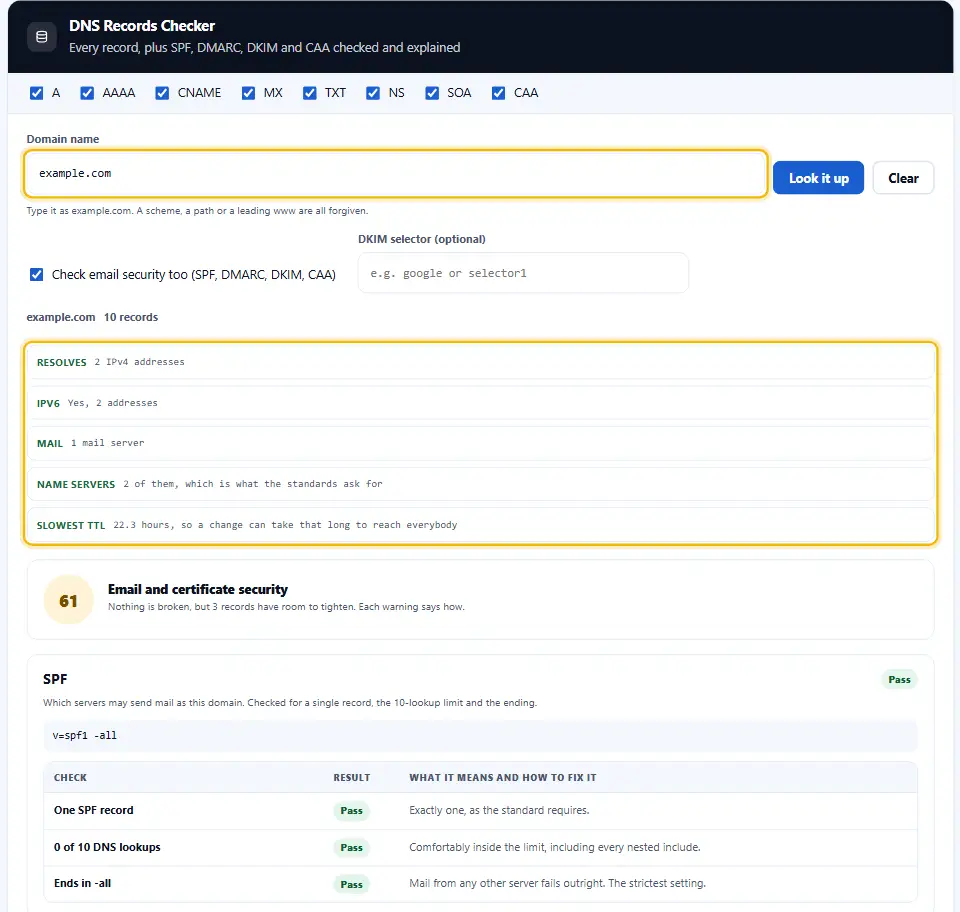
Each record has a TTL, a time to live counted in seconds. It tells other resolvers how long they may keep their copy.
So a TTL of 86,400 means a full day. Change the record and half the world keeps answering with the old value until that day is up.
Therefore the trick is to plan ahead. Drop the TTL to 300 a day before you move, make the change, then put it back afterwards.
This checker shows the slowest TTL it found, because that is the number that decides how long the tail runs.
Reading The Mail Records
Mail breaks in ways that look mysterious and are usually simple. So start with MX.
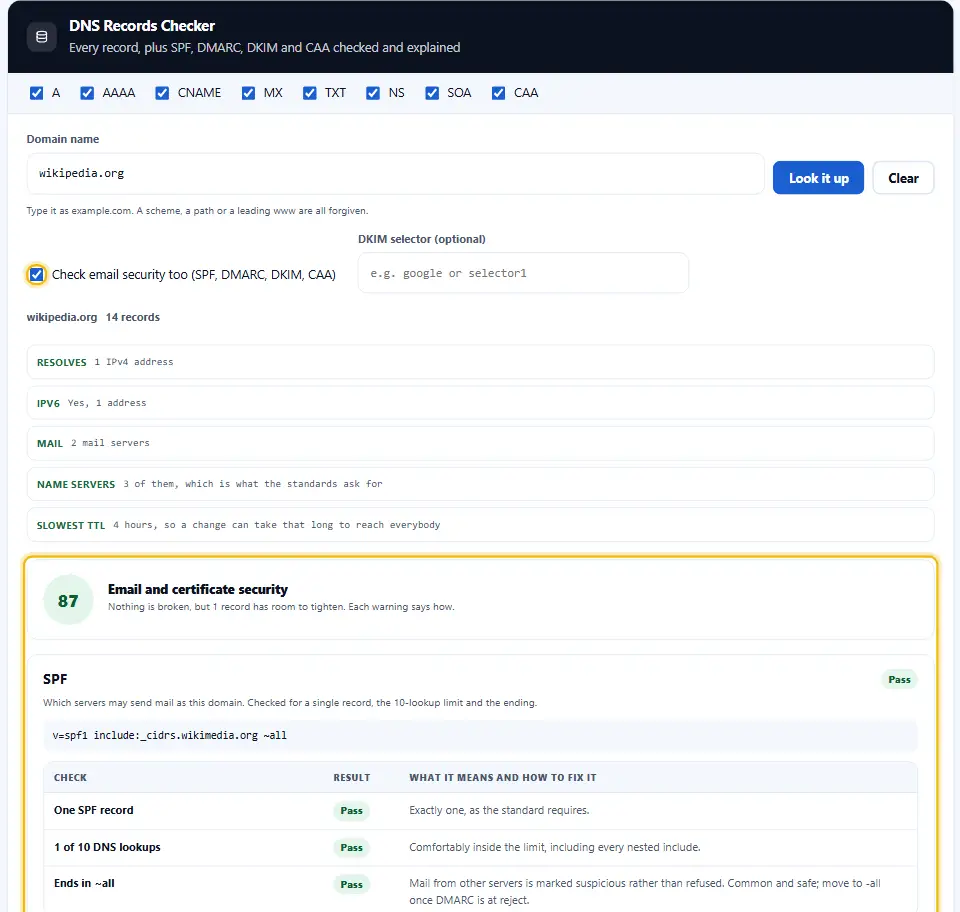
No MX record means the domain receives no mail at all. That is fine for a site that only sends, yet it surprises people often.
Next comes SPF, which lives in a TXT record starting with "v=spf1". It lists who may send mail as you.
Without it, anybody can forge your address, and plenty of receivers will quietly bin the real thing too.
The rules for that record are set out in RFC 7208, which is worth a skim before you write one.
How DMARC and DKIM Are Found
DMARC does not sit on your domain itself. It sits on a subdomain called _dmarc, so this checker asks _dmarc.example.com directly. DKIM keys hide one level deeper, behind a selector name that DNS cannot list. Therefore the checker tries the selectors the big mail providers use, and you can type your own when yours is different.
Checking A Domain You Are About To Buy
A lookup tells you plenty about a domain before money changes hands. So run one first.
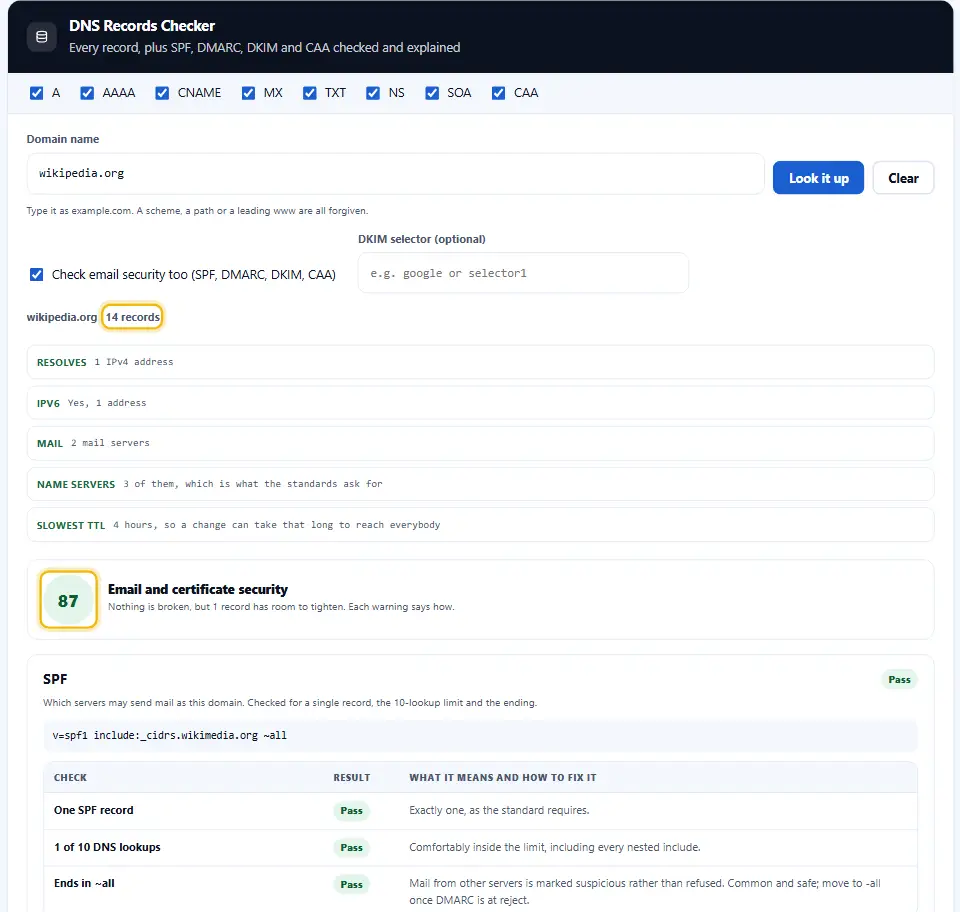
Live A and MX records mean somebody is still using it. That matters, because old mail may keep arriving for months.
Name servers point at the current host. Therefore you learn who you will be dealing with during the handover.
A long TTL warns you that the switch will drag. Ask the seller to lower it a day before the transfer.
Reading the full set of DNS record types takes a minute and saves an argument later.
Why Denwix Runs These Lookups Server-Side
A browser cannot speak DNS. It resolves names to open connections, and it never hands the answer back to a page.
So every DNS tool on the web has two choices. Either it calls somebody else's JSON endpoint, or it asks its own server.
This site does not add third parties. Instead, the name you type travels here, and our resolver asks on your behalf.
Nothing else goes with it, and we keep no answer. The line under the tool says exactly that, in the same words.
How To Run A DNS Records Lookup
Three steps, and most people forget the final one.
- 1
Type the domain
Just the name, as example.com. The tool strips a scheme, a path or a leading www for you.
- 2
Tick the record types you need
All seven run by default. Untick the ones you do not care about and the lookup gets shorter.
- 3
Read the summary first
The rows at the top answer the usual questions. Only then go down into the records themselves.
- 4
Export it if you need proof
Copy the lot, or download a CSV with every value and its TTL in seconds.
What Sets This DNS Record Checker Apart
Listing records is the easy part. The difference is whether the list tells you what to do next.
It reads, not just lists
The top rows say whether mail is set up, whether SPF exists and whether IPv6 is there. So the answer arrives before the detail does.
Each TTL written out in hours and minutes
A TTL of 86400 is a day, and this says so. Therefore you know how long a change will take before you make it.
Eight types, one at a time
Most resolvers refuse a catch-all query and the rest answer it badly. So this asks for each type on its own, CAA included, which runs slower and tells the truth.
It says what each type is for
Every block carries a sentence explaining the record above it. A report you have to go and search is only half a report.
No third party involved
The lookup runs on this server and asks DNS resolvers directly, not somebody else's API. So no web service ever sees the domain you typed.
Long TXT records kept whole
A DKIM key arrives split into chunks. This joins them back up, so you can paste the value straight into whatever asked for it.
Four Habits That Prevent DNS Outages
Each fix on this DNS list takes only a few minutes. Yet nearly every DNS outage comes from skipping one.
- Cut the TTL a day before any move. Set it to 300 seconds a full day before you switch. Then the rollback is five minutes rather than a day.
- Run two or more name servers. One is a single point of failure for your whole domain. So two is the minimum, and they should not share a network.
- Never write two SPF records. Two TXT records starting with v=spf1 is a hard failure, not a merge. Fold every mechanism into one SPF line instead.
- Check after you change, not before. Run the lookup again once the TTL has passed. Otherwise you are reading a cached copy and calling it proof.
Four Ways A DNS Lookup Misleads You
Each of these makes a correct answer look like a wrong one, or the other way round.
Trusting your own computer
Your machine caches answers too, and so does your router. So a lookup from your laptop can lag the world by hours.
Putting a CNAME on example.com itself
A root domain cannot hold a CNAME beside its other records. Some hosts fake it, and the fake breaks in odd ways.
Reading a subdomain as the domain
Records on www are separate from records on the bare name. Therefore check both, because they often disagree.
Assuming no record means broken
Plenty of healthy domains have no AAAA, no CNAME and no mail. A missing record is only a fault when you needed it.
DNS Record Checker FAQ
How many hours do DNS changes need to spread?
As long as the old TTL, and no longer. If the record said 3600 then an hour covers nearly everybody. The famous "48 hours" figure comes from the days when zone transfers were slow, and it has not been true for a long time.
Why does this show something different from my host?
Your host shows what it has stored. This shows what a resolver actually returns. Until the TTL runs out, the two answers differ, and each is correct for its own moment.
Which DNS record types matter most for a website?
A and AAAA decide where the site loads from. MX records tell senders which mail server accepts your email. The NS record names the servers in control. Everything else is useful rather than essential, so start with those four.
Will the DNS checker read records for a subdomain?
Yes. Type it in full, such as mail.example.com or _dmarc.example.com. Subdomains carry their own records, and they often differ from the parent.
Why is there no CNAME on my domain?
Because a name with an A record usually has no CNAME, and it cannot have both. So an empty CNAME block on a working domain is normal rather than a problem.
Why does the SOA serial number change after each edit?
It tracks which edit of the zone file is live. Every edit should raise it, and secondary name servers use it to notice they are out of date. Many providers write it as a date.
Is a DNS records lookup private?
The name you type reaches this site, because a browser will not speak DNS for a page. Nothing else goes with it, and we keep no copy of the question or the answer.
Can the Denwix DNS checker read any domain on the internet?
Any registered one, yes, including domains you do not own. DNS is public by design, which is exactly what makes a checker like this possible.
Why do I see seventeen TXT records?
Large organisations collect them. Each service that wants to prove you own the domain asks for its own line, and nobody ever removes the old ones. So a long list is untidy rather than broken, though it is worth a clear-out once a year.
How do NS and SOA records split the work?
NS lists the servers that answer for the domain. SOA names the one that holds the master copy, along with the serial number and the caching rules. So NS is the team and SOA is the captain.
Should I worry about a low TTL?
No. A low TTL simply means resolvers ask again sooner, which costs a little traffic and buys fast changes. Big sites often run 300 seconds on purpose.
Tools That Sit Beside This One
Three that answer the next question a DNS lookup tends to raise.
Registration date and expiry, straight from the registry.
Open tool →Whether the certificate matches the name and is still valid.
Open tool →What the server says once DNS has pointed you at it.
Open tool →
Check the Records Instead of Guessing
Type the domain and read what a resolver returns right now, with every TTL in plain words. This DNS record checker is free, needs no account, and adds no third party.