Anchor Text Generator
Link Code That Reads Well
This anchor text generator writes link code that reads well: the right rel value, a new tab that cannot reach back into your page, and a check on whether the text tells a reader where it goes.
- FreePrice
- 3Formats
- NoneSign-up
- NoneUploads
Anchor Text Generator
Link code with the right rel and the right text
Your anchor text appears here.
Link text is read out of context by screen readers, so "click here" tells those readers nothing at all.
Ready. Paste an address and write the text a reader should see.
What Anchor Text Has To Do
Link text does three jobs at once. It tells a reader where the link goes, it tells a screen reader user the same thing out of context, and it tells a search engine what the target page is about.
One phrase has to serve all three. "Click here" serves none of them, because it describes the action rather than the destination.
People using screen readers can pull up all links on a page and jump between them. In such a list, a dozen "read more" links look like a dozen copies of one row.
So write the destination. The anchor element reference says the same thing, and it has said it for years.
The Three Rel Values
nofollow says this link is not an endorsement. sponsored says it was paid for, in money or in goods. ugc says somebody else wrote it, in a comment or a forum post.

Google treats all three as hints now rather than orders, and its guidance on qualifying outbound links explains which to use where.
The one that matters commercially is sponsored. Leaving it off a paid link is the thing that earns a manual action, and nobody notices until it does.
New Tabs And The Word noopener
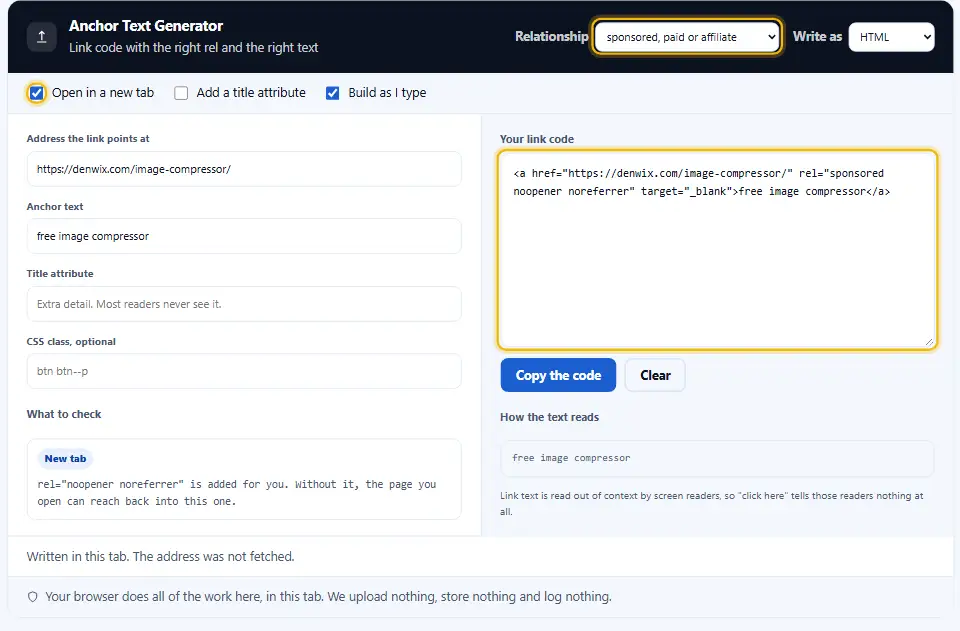
A link with target="_blank" hands the opened page a reference back to yours. That page can then navigate your tab somewhere else.

rel="noopener noreferrer" closes it. Modern browsers add the protection themselves for target="_blank", and older ones do not, so the attribute stays worth writing.
This tool adds both words for you whenever the new tab switch is on, because remembering it every time is exactly the sort of thing nobody does.
Writing Anchor Text People Can Use
Say where the link goes, in the words the reader would use. Somewhere around four or five words tends to be plenty.
Skip vague anchors such as click here or read more. Out of context they say nothing, and a screen reader user often hears links as a list.
Keep the exact-match phrase rare. A page linked forty times with the same commercial phrase looks bought, because usually it was.
Vary it instead. Real citations use your brand, your page title, the bare address and the odd descriptive phrase, in roughly that order.
When A New Tab Is Wrong
A forced new tab overrides the reader and leaves the back button useless. Keep it for a form somebody is halfway through, and skip it everywhere else.
Internal Links Are Where Anchor Text Pays
Nobody controls the words other sites use to link to them. Your own site is the opposite: every internal link is a sentence you wrote.
So describe the target page the way a reader would ask for it. A link saying "our pricing" is worth more than one saying "here".
Vary the phrasing rather than repeating one exact string forty times. Varied wording reads more naturally and looks less like a ranking trick.
Where Link Text Gets Read Out Of Context
Screen readers can pull up a list of all links on a page, with none of the surrounding text. Twelve links reading "read more" become twelve identical rows.
Search engines read anchor text as a description of the target page, which is why a whole site of "click here" links describes nothing.
People scanning a page do the same thing with their eyes. They jump between the blue words, reading only those.
All three audiences want the same fix. Name the destination in the link text, and the sentence around it still reads normally.
Relative Paths Versus Full URLs in Your Links
Inside your own site, a relative link is shorter and survives a move between staging and production.
Everywhere else it fails. An email, a feed, a PDF and a forum post have no page to resolve it against.
So the checks panel says when a relative address looks wrong for what you are building. The rule is simple: leaving your site means using the full address.
The Title Attribute Does Very Little
It shows a tooltip on hover, which touch devices have no equivalent of, and most screen readers ignore it. If the information matters, put it in the link text.
Working With the Anchor Text Generator, Start to Finish
Three steps, and the checks panel tells you which of them needs another look.
- 1
Paste the address
Absolute for anything you paste elsewhere, relative for a link inside your own site. The panel says when the choice looks wrong.
- 2
Write the text a reader sees
Name the destination. If the phrase would mean nothing on its own, the checks panel says so rather than letting it through.
- 3
Pick the relationship
Ordinary for most links, sponsored for anything paid, ugc for user content, nofollow when you simply do not want to vouch for it.
- 4
Grab whichever of the Denwix outputs suits your editor
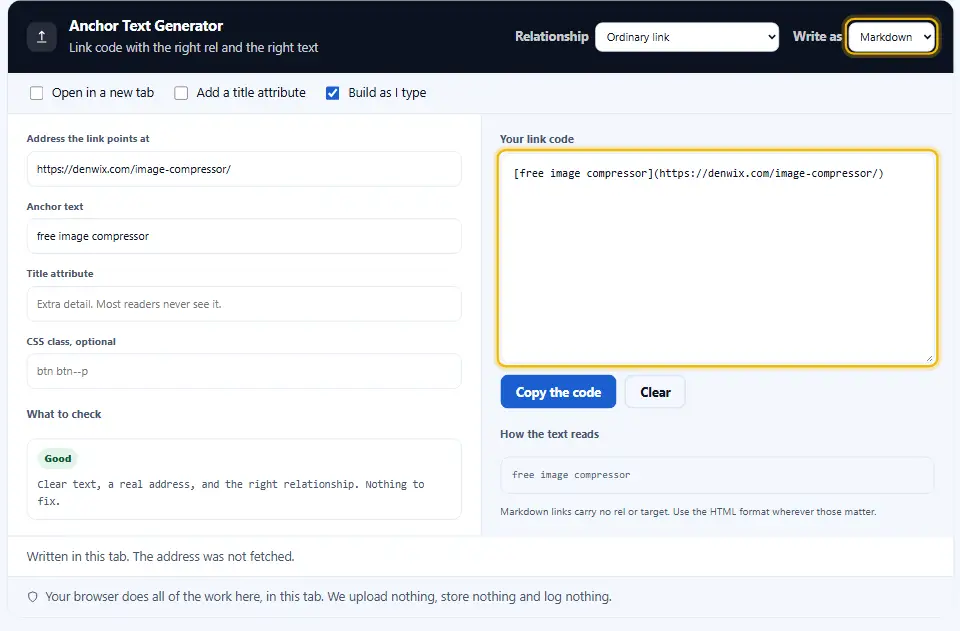
HTML for a page, Markdown for a readme or a CMS, BBCode for a forum. The menu switches all three instantly.
What Sets This HTML Link Generator Apart
Writing an anchor tag is one line. The differences here are the four judgements around it.
It reads your link text
Weak phrases like "click here" and "read more" are named, because those are the ones that cost a screen reader user the most.
noopener added automatically
Turn on the new tab switch and both protective values appear. Forgetting them is the most common mistake in this one line.
Three formats, one form
HTML, Markdown and BBCode from the same fields, with a note when a format cannot carry what you asked for.
Affiliate links flagged
An address that looks like an affiliate link with no sponsored value gets a warning, since that is the one with real consequences.
Everything escaped properly
Quotes and angle brackets in your text are encoded, so the snippet you paste cannot break the page around it.
Nothing leaves your tab
Unpublished addresses and client work pass through here. The page fetches nothing and stores nothing.
Rules For Writing Links
Eight habits, none of which takes longer than the sentence describing it.
- Name the destination. The text should make sense read on its own, because that is exactly how a screen reader user meets it.
- Keep it short. Two to six words. A whole sentence as a link is hard to scan and hard to click accurately on a phone.
- Paid placement? Add rel="sponsored" to that link. Money, free product, an affiliate cut: all of it counts. This is the rel value with real consequences attached.
- Add noopener with every new tab. Newer browsers do it for you and older ones do not. One word closes the gap for everybody.
- Mix up the wording of links inside your site. Forty identical links to one page read like a machine wrote them. Describe the target naturally instead.
- Avoid a bare address as link text. A screen reader voices a bare URL letter by letter, slash by slash. A phrase is faster to hear and far easier to scan.
- Do not rely on the title attribute. Touch devices show no tooltip and most screen readers skip it. Anything important belongs in the text.
- Write the text before the address. Decide what a reader needs to know, then attach the link to it. Writing the href first is how a sentence ends up wrapped around "here".
- Say when a link leaves the page. A download, a PDF or a form in a new tab all surprise somebody. A word or two in the link text removes the surprise.
- Test the finished link once before it goes live. Paste the finished address into a browser once. A typo in an href is invisible until somebody clicks it.
Six Link Mistakes On Real Pages
Each of these passes a review because the link works. A blind or low-vision reader pays for that shortcut.
Writing "click here" as the link text
It describes the action, not the destination, and a list of links reading "click here" tells nobody anything.
A paid link with no sponsored
The one mistake here with a penalty attached. Affiliate and paid placements both need it.
target="_blank" with no noopener
The opened page gets a handle on yours. Newer browsers protect you, older ones do not, and you do not choose the browser.
A relative link in an email
There is no page to resolve it against, so the link simply fails. Anything leaving your site needs the full address.
The same anchor text forty times
One exact phrase repeated across a site reads as an attempt at gaming rather than as writing.
Important detail hidden in a title
Phones and tablets never show hover tooltips. If the reader needs to know it, the link text has to say it.
Link Questions People Ask
Which qualities make Denwix rate an anchor as strong?
A short phrase that names the destination and reads correctly out of context. Two to six words is the usual range.
In which cases does a link deserve rel nofollow?
Whenever the page you link to is one you would rather not endorse. For paid links use sponsored, and for comments or forum posts use ugc.
Does this html link generator handle Markdown?
Yes, and BBCode. Markdown carries no rel or target, so the tool says which of your switches that format cannot express.
Is rel="noopener" still worth adding in 2026?
Current browsers apply it automatically with target="_blank". Older ones do not, and writing it costs one word, so keep writing it.
Can exact-match anchors get a site into trouble?
In quantity, yes. A handful of exact phrases is normal writing; hundreds of identical ones pointing at one page is a pattern search engines look for.
Do links to other sites need target="_blank"?
Usually not. It stops the back button working and overrides the reader. Keep it for forms and documents mid-task.
Will a title attribute on a link lift my rankings?
No. It is a tooltip, ignored on touch devices and by most screen readers. Put anything important into the link text.
Will the Denwix tool build a link around an image?
Yes, and then the alt text becomes the anchor text. The backlink maker on this site writes that version for you.
How many words should an anchor hold?
Two to six words in most cases. Long enough to name the destination, short enough to scan, and easy to hit accurately on a phone.
Does anything I type into this Denwix tool leave my device?
No. The snippet is written in your browser, and the address is never fetched. Denwix keeps no copy and writes no log.
Tools For Links
A single link is only the first step. Three more Denwix tools finish the job.
Backlink Maker
The same link in six formats, ready to paste anywhere.
Open tool →Link Extractor
List every link on a page, with rel and destination.
Open tool →URL Encoder and Decoder
Escape a value before it goes into an address.
Open tool →
Ready To Write A Link?
Paste the address, name the destination, and read the checks. The anchor text generator is free, needs no account, and runs in your browser.