HTML To JSON Converter
HTML To XML, CSV, Text And Code
This HTML to JSON converter turns markup into a clean tree. It also writes XML, YAML, CSV, plain text, JavaScript strings and PHP strings. We upload nothing.
- FreePrice
- 9Outputs
- NoneSign-up
- NoneUploads
HTML to JSON Converter
Turn HTML into JSON, XML, YAML, CSV, text or code, and back
- Elements
- 0
- Attributes
- 0
- Size
- 0 B
Ready. Paste your code and pick the formats.
What An HTML To JSON Converter Does For You
HTML is built for browsers, not for data work. So when you need its content in a script, a spreadsheet or an API call, you must change its shape. That is what this tool does.
First, paste your HTML. Then pick the format you want. The result appears as you type. JSON and YAML keep the whole tree, XML gives you clean markup, and CSV takes the rows of a table.
It also writes plain text, a JavaScript string and a PHP string. In addition, it works backwards. Paste a code string, and the tool turns it back into HTML.
Then you can use the result anywhere. Load the JSON in a script, paste the CSV in a sheet, or drop the string into your code.
Everything runs in your browser. So your markup never leaves your device. That matters, because pages often hold names, emails and private text.
HTML To JSON, Tag By Tag
First, the tool reads your markup and builds a tree. Every tag becomes an object with a tag name. Attributes go in an attrs object, and nested tags and text go in a children list.

So a link becomes an object with the tag a, an href attribute and the link text as its child. The tree keeps the order of your page, which matters when you rebuild it later.
Also, the reader is forgiving. It closes tags that browsers close, such as p, li and td. It also decodes entities, so an ampersand entity becomes a plain ampersand.
For more detail, see: HTML Living Standard.
HTML To CSV From A Table
First, many pages hold data in tables. Paste the page, pick CSV or TSV, and the tool reads the rows and cells. If the HTML has several tables, a list lets you choose one.
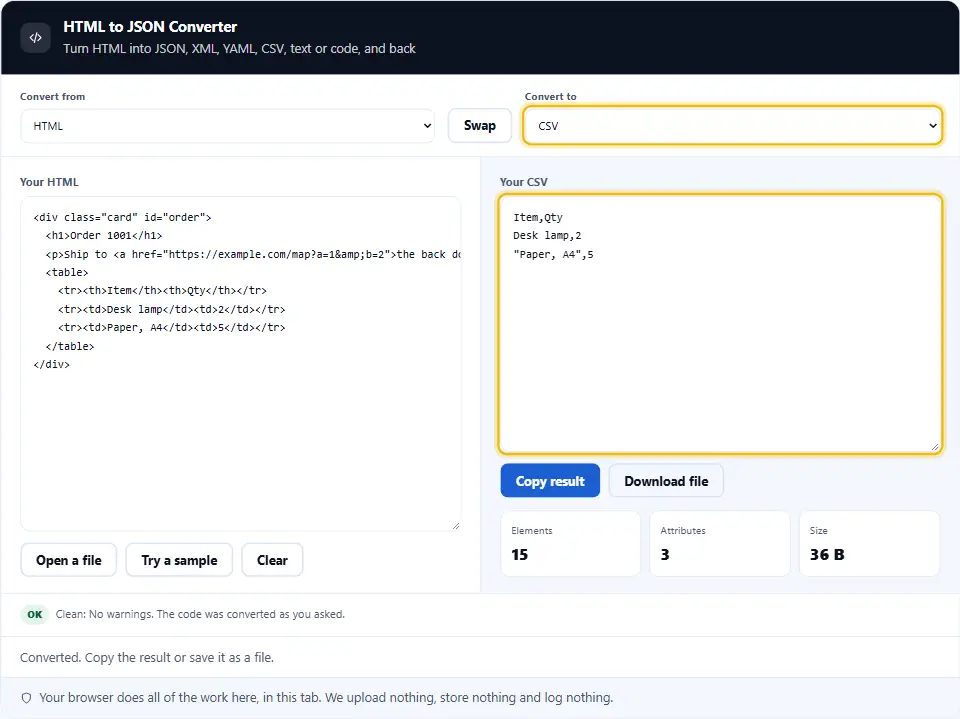
The tool wraps a cell with a comma or a quote in quotes. So the file opens cleanly in Excel and Sheets. Header cells become the first row.
Then you can open the CSV in a spreadsheet, or load it into a database.
HTML To Text
Next, the text mode strips the tags and keeps the layout. Paragraphs and headings get a blank line after them. List items start with a dash, and each table row sits on one line.
So scripts and styles never appear in the text. If you want link addresses, switch on the option, and each address follows its link text in brackets.
HTML To JavaScript And PHP Strings
Sometimes you must put a block of HTML inside code. A quote or a line break in that HTML can break the string. So the tool escapes it for you.
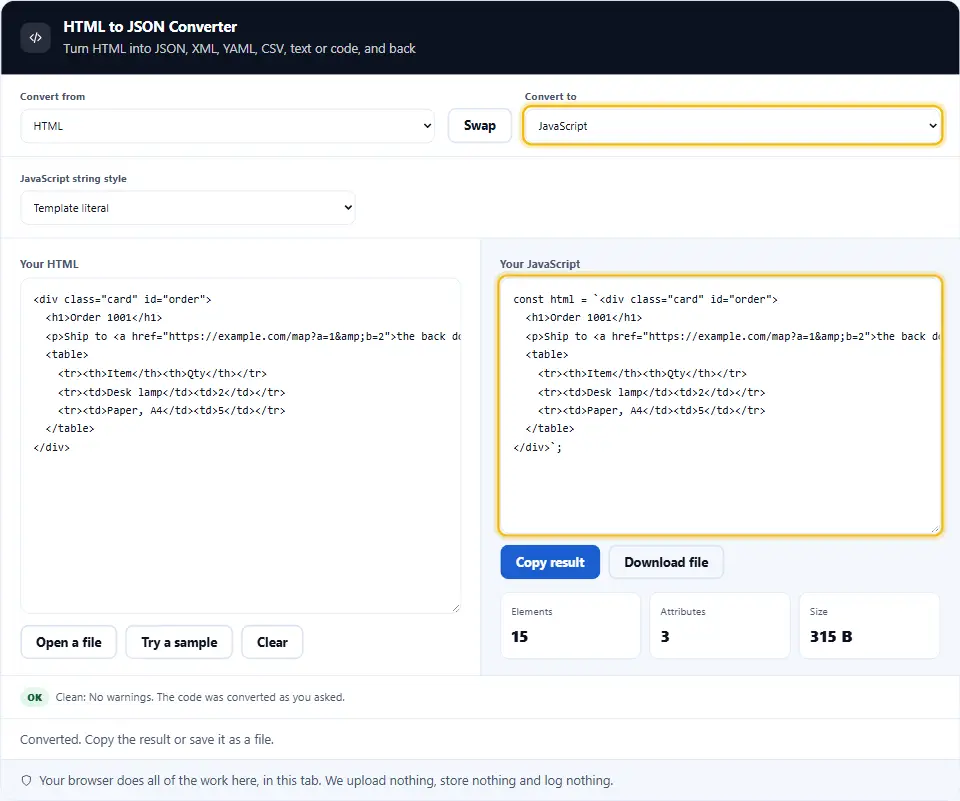
For JavaScript you can pick single quotes, double quotes, a template literal or a list of lines joined together. For PHP you can pick single quotes, double quotes or a nowdoc block.
From A Code String Back To HTML
The reverse also works. Paste a JavaScript or PHP snippet with a string in it, and pick HTML as the target. The tool finds the strings, joins them and removes the escapes.
Also, it reads single quotes, double quotes, template literals and nowdoc blocks. It understands the usual escapes, such as a line break, a tab, a backslash and a Unicode code.
XML And YAML Output
The XML output follows the rules. Tags without content close themselves, and the tool quotes and escapes attribute values. If your HTML has more than one top level tag, the tool adds a root tag.
Then YAML output mirrors the JSON tree, with tag, attrs and children keys. It is easy to read, and you can paste it into a config file.
Safe By Design
The tool reads your HTML as text and never renders it. So a script inside the markup cannot run. Scripts and styles are left out by default, and you can keep their text if you need it. That also makes the tool safe for pages you do not trust.
On this page
- The tool
- What An HTML To JSON Converter Does For You
- Using The HTML To JSON Converter, Step By Step
- What This HTML Converter Does Differently
- Habits For Moving Data Out Of HTML
- Common Conversion Mistakes This Tool Prevents
- HTML To JSON Converter Questions People Ask
- Handy Companions For Web Data
Keep going
Using The HTML To JSON Converter, Step By Step
Four steps take you from markup to data.
- 1
Paste your HTML
Paste it, open a file, or try the sample.
- 2
Pick two formats
Choose what you have and what you want. Swap them with one click.
- 3
Set the options
Trim spaces, keep scripts, pick a table or choose a string style.
- 4
Copy or save
Copy the result, or save it with the right file type.
What This HTML Converter Does Differently
Many converters give you one output. This one gives you nine.
Nine outputs
JSON, YAML, XML, CSV, TSV, text, JavaScript, PHP and HTML.
Both directions
Turn code strings back into HTML in one step.
Forgiving reader
It handles missing end tags, loose attributes and entities.
Table to CSV
Pick any table in the page and get clean rows.
Scripts stay out
The tool never runs the markup, and it drops scripts by default.
Nothing leaves your tab
Your browser does the work. We never see your HTML.
Habits For Moving Data Out Of HTML
A few habits keep your data clean.
- Paste only what you need. A small block gives a small, clear result.
- Pick the format by purpose. Use JSON for scripts, CSV for tables and text for reading.
- Keep the trim option on. It removes blank text between tags and keeps the tree short.
- Check tables first. Make sure each row has the same number of cells.
- Mind merged cells. Cells that span columns read as one cell, so check the result.
- Use nowdoc or template strings. They keep long HTML readable inside code.
- Never trust pasted code. Read the output as data only, and never paste it into a page unchecked.
- Keep entities in mind. The tool decodes entities, so an ampersand entity becomes a plain ampersand in the output.
- Test with a small sample. Convert one block first. Then convert the whole page.
- Keep the original. The tool never changes your source, but a copy costs nothing.
- Mind private data. Remove names and emails before you share a result.
Common Conversion Mistakes This Tool Prevents
Each of these quietly damages data. The converter guards against them.
Broken string quotes
The tool escapes quotes and line breaks before HTML goes into code.
Lost entities
The tool decodes entities once, so no double encoding creeps in.
Script content in data
Scripts and styles are left out unless you ask for them.
Commas inside cells
The tool wraps CSV cells with commas or quotes safely.
Missing end tags
Open paragraphs, list items and cells close the way a browser closes them.
Uploading private pages
Many converters send your HTML to a server. This one never does.
HTML To JSON Converter Questions People Ask
Is this HTML to JSON converter free?
Yes. It costs nothing, needs no account and has no limits. It runs in your browser, so we have no server cost to pass on.
Does my HTML leave my device?
No. Your browser reads the markup and writes the result. Nothing reaches this site, and we keep nothing.
What does the JSON look like?
Each tag is an object with tag, attrs and children. Text sits in the children list as a string.
Can it convert HTML to CSV?
Yes, for tables. It reads every row and cell. If there are several tables, you pick one.
What if my HTML has no table?
Then the CSV and TSV modes show a message. Use JSON, YAML or text for other content.
How does HTML to text work?
It strips the tags and keeps paragraphs, headings, list items and table rows on their own lines.
Can it keep link addresses?
Yes. Switch on the link option, and each address follows its link text in brackets.
Can I turn HTML into a JavaScript string?
Yes. Pick JavaScript and choose single quotes, double quotes, a template literal or joined lines.
Can I turn HTML into a PHP string?
Yes. Pick PHP and choose single quotes, double quotes or a nowdoc block.
Can it turn a code string back into HTML?
Yes. Paste the JavaScript or PHP snippet, pick it as the input, and pick HTML as the output.
Does it run scripts in my HTML?
No. The tool only reads the markup as text. It renders and runs nothing.
Are scripts and styles in the output?
Not by default. Switch on Keep script and style content if you need them.
Does it fix broken HTML?
It reads loose markup the way a browser would. It closes open paragraphs, list items and cells.
What happens to comments?
The tool drops HTML comments and the doctype, because they hold no data.
Does it decode entities?
Yes. An ampersand entity becomes an ampersand. The output then escapes it again where the format needs it.
Can I open a file?
Yes. Use Open a file. The tool picks the input type from the file name.
How big a file can I use?
A few megabytes. Very large pages may read slowly on a phone.
Can it read a whole web page?
Yes. Paste the page source. The tool reads the head and the body, and it skips scripts and styles by default.
Does it keep attribute order?
Yes. Attributes keep the order in which you wrote them. If an attribute repeats, the first one wins.
Why is there a root tag in my XML?
XML needs one top tag. So the tool adds a root tag when your HTML has more than one.
Does it work on a phone?
Yes. The panels stack and the boxes scroll. For long markup, a keyboard is still easier.
Handy Companions For Web Data
Converting is one step. These three tools handle the steps around it.
Turn JSON into a clean HTML table.
Open tool →Convert Markdown to HTML, and back.
Open tool →Turn XML into clean, typed JSON.
Open tool →
Ready To Convert Some HTML?
Paste your markup, pick two formats, and copy the result. The converter is free, needs no account, and keeps every byte on your device.