Remove HTML Tags
Keep the Words Behind Them
Remove HTML tags from any snippet online and keep the words behind them, clean and readable. First, paste your code. Then copy the result, because every step runs inside this tab.
- FreePrice
- Not neededAccount
- Keep or dropLinks
- NoneUploads
HTML Tag Stripper
Paste your markup — the words come back without the tags
- Words
- 0
- Characters
- 0
- Tags removed
- 0
Ready. Paste your markup and the words appear beside it.
What Does an HTML Tag Stripper Do?
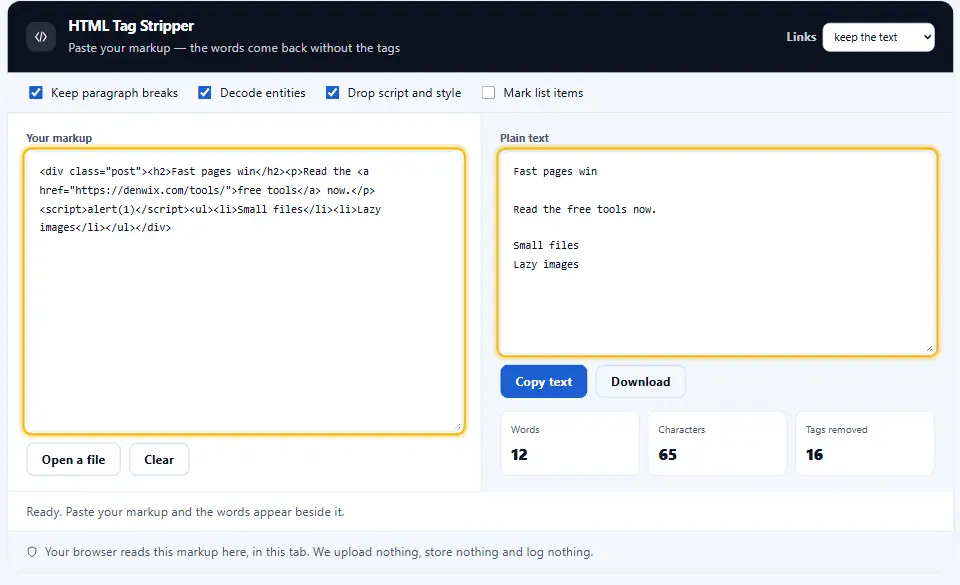
An HTML tag stripper takes a block of markup and returns the words inside it. The tags go, the content stays. So a paragraph wrapped in a tag comes back as a plain sentence.
The job sounds simple until you meet the awkward cases. A script block, a style block and an inline comment all hold text that nobody wants in the result, and each one needs its own rule.
This tool reads your markup, drops the tags and keeps the prose. You decide what happens to links, images and line breaks, because a different answer suits a different job. Reach for it whenever you need to remove HTML tags before the words travel somewhere new.
Browsers have a built-in idea of what counts as text. MDN's reference for textContent describes it, and this page follows the same rule.
Jobs Where You Must Remove HTML Tags Before Pasting
Every app understands plain text. A CMS field, a spreadsheet cell and a search index each want bare words, so markup pasted into any of them shows up as visible code rather than content.

Length rules bind you too. A meta description, a tweet and a product listing all count characters, and tags inflate that number without adding meaning. Therefore stripping them first gives you an honest count.
Strip HTML Tags Without Losing the Layout
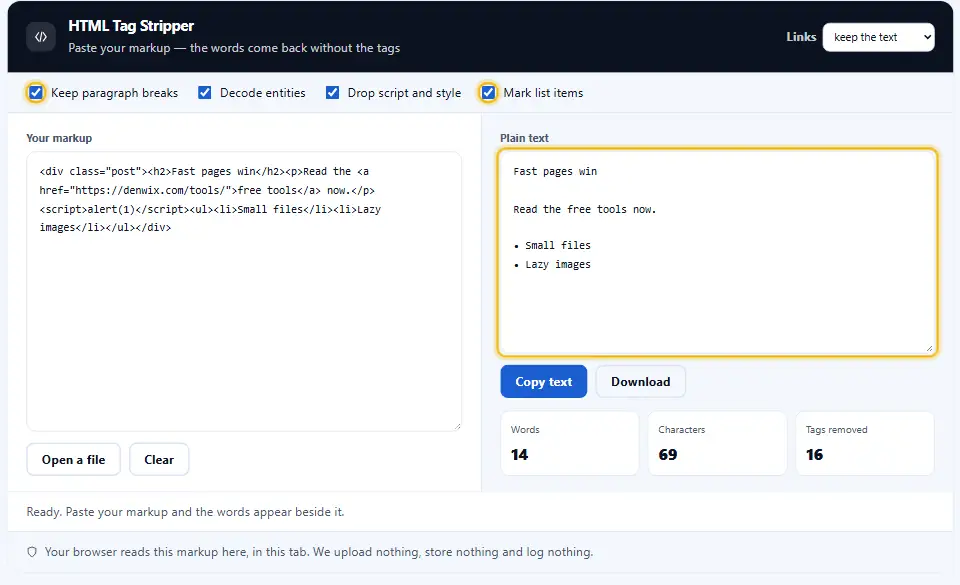
The trick is deciding what a tag stood for. A closing paragraph tag marks a break, and a list item marks a bullet. Drop those without a trace and every sentence runs together into one dense block.
This strip HTML tags tool keeps that structure. Turn on the line break option and each block element ends on its own line, so the result reads like the page did.
The Difference Between Stripping and Escaping
Stripping removes markup. Escaping keeps it visible as text by swapping the angle brackets for safe codes. Pick wrong and you get either a wall of code or a page that renders tags nobody asked for.
Clean Markup in Four Steps
No installer, and your text never travels. Your browser reads the markup here, so the plain text arrives instantly.
- 1
Paste your markup
Drop the HTML into the box, however messy. The stripper reads it as you type and never runs a line of it.
- 2
Pick your options
Choose whether to keep link text, drop script and style blocks, and turn tags into line breaks.
- 3
Read the result
Plain text appears beside your code, with a word and character count so you know what you have.
- 4
Copy or download
One button copies the text, another saves a file. Meanwhile your markup never travels past this window.
An HTML Tag Remover That Reads the Markup
A plain find-and-replace eats your text along with the tags. This parser knows the difference.
Links handled properly
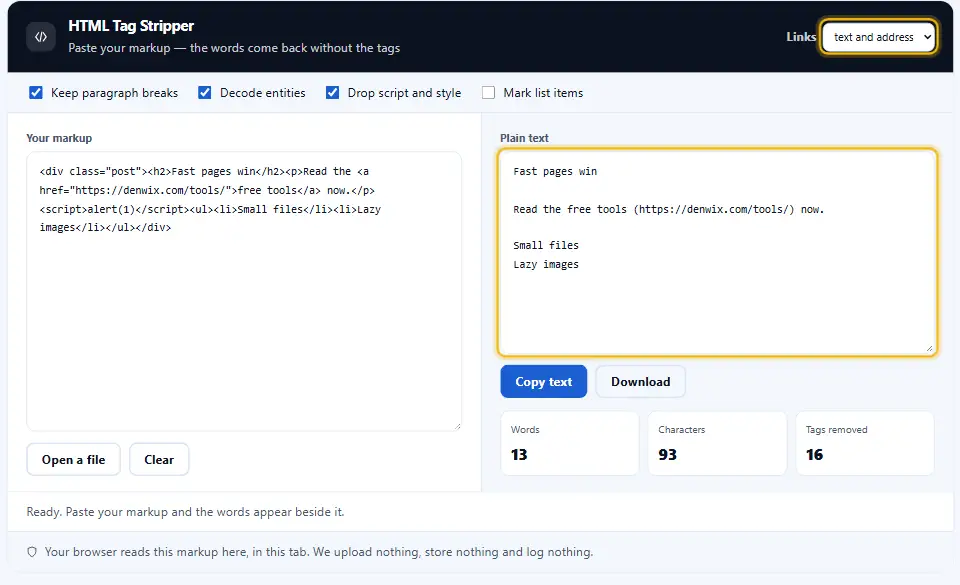
Keep the anchor text alone, keep it with the address in brackets, or drop the whole thing. Your call, one click each. Most people who remove HTML tags keep the text and drop the address.
Script and style dropped
A script block holds code and a style block holds rules. Both leave the output, because neither is content.
Breaks you control
Turn block elements into newlines for readable prose, or flatten everything into one paragraph when you need a single line.
Entities decoded
Ampersands, angle brackets and quotes turn back into real characters, so the text reads the way the page did.
Counts while you work
Words, characters and lines sit beside the result, which matters when a field has a hard limit.
Nothing leaves your tab
The page never sends your markup anywhere. No request, no storage and no log, so it works offline too.
Working With Stripped Text
These six habits keep the result useful once the tags are gone.
- Save the original HTML first. Stripping is one way. Therefore hold onto the original markup until you are sure the text reads right.
- Turn on line breaks for prose. Paragraphs merged into one block are hard to read. Keep the breaks unless a field forbids them.
- Decode entities at the same time. Encoded characters look like code. Decoding them gives you the words a reader would actually see.
- Watch what links become. Dropping anchors loses the address. Keep link text with the URL when the destination still matters.
- Check the count afterwards. A tag-heavy block shrinks a lot. So confirm the number fits the field before you paste it in.
- Never trust pasted markup. Copied HTML often carries stray attributes and tracking pixels. Strip it before it reaches your own pages.
Tag Stripping Mistakes
Each one costs you words, structure or both.
Regex that eats real text
A careless pattern matches an angle bracket in prose and deletes a whole sentence. A parser does not.
Entities left encoded
Ampersands and quotes stay as codes, so the text reads like source rather than a sentence.
Paragraph breaks lost
Everything lands in one dense block. The words survive, though the meaning becomes hard to follow.
HTML Tag Stripper FAQ
Is it safe to paste my markup here?
Yes. All the cleaning happens right on your own device, so nothing travels over the network and nothing is stored. The pasted code is read as text and never executed, which means any script inside it stays dormant.
Which tags does the tool remove?
Every one of them. Tags, their attributes and their comments all leave the output. Script and style blocks go with their contents, because the code and rules inside them hold no readable text.
Will the stripped text keep its paragraph gaps?
You choose. Turn on the line break option and each block element ends on a new line, so paragraphs, headings and list items stay apart. Leave it off and the whole result flattens into a single paragraph.
What happens to links?
Three switches, each a single click. Keep the visible link text and drop the address, keep both with the URL in brackets, or drop the link entirely. Keeping both suits research notes, while dropping suits plain prose.
Can the tool decode HTML entities?
It does, and that setting stays on by default. Codes like the ampersand and angle bracket forms turn back into the characters they stand for, so the text reads exactly the way the page rendered it.
Does this replace a proper HTML parser?
For reading text, yes. This tool walks the markup and pulls out the words, which covers copy, spreadsheets and content fields. If you need to rewrite the markup itself, reach for a real DOM parser instead.
More Denwix Tools Worth Opening Next
Every Denwix tool listed here runs locally, with no login and nothing uploaded.
Shrink your markup without breaking a single tag.
Open tool →Tallies for words, letters, sentences and minutes of reading, refreshed on every keystroke.
Open tool →Put two versions side by side and spot every edit between them.
Open tool →
Turn that markup into readable text
Paste your code, pick what to keep, and copy the words. Nothing travels anywhere and nothing sticks around.