Keyword Density Checker
See What Your Text Repeats
This keyword density checker reads your text and ranks every word and phrase by how often it appears, and the count is instant. First, paste your content. Then read the table, because the whole count happens inside this tab.
- FreePrice
- Not neededAccount
- NoneUploads
- 1 to 3 wordsPhrases
Keyword Density Checker
Paste your text — every word and phrase ranked as you type
- Total words
- 0
- Unique terms
- 0
- Rows shown
- 0
| Term | Count | Density |
|---|---|---|
| Nothing checked yet. Paste some text to fill this table. | ||
- Comfortable, near 1 to 2 per cent
- Runs high, above 3 per cent
Ready. Paste your text and the ranking follows.
What Is Keyword Density?
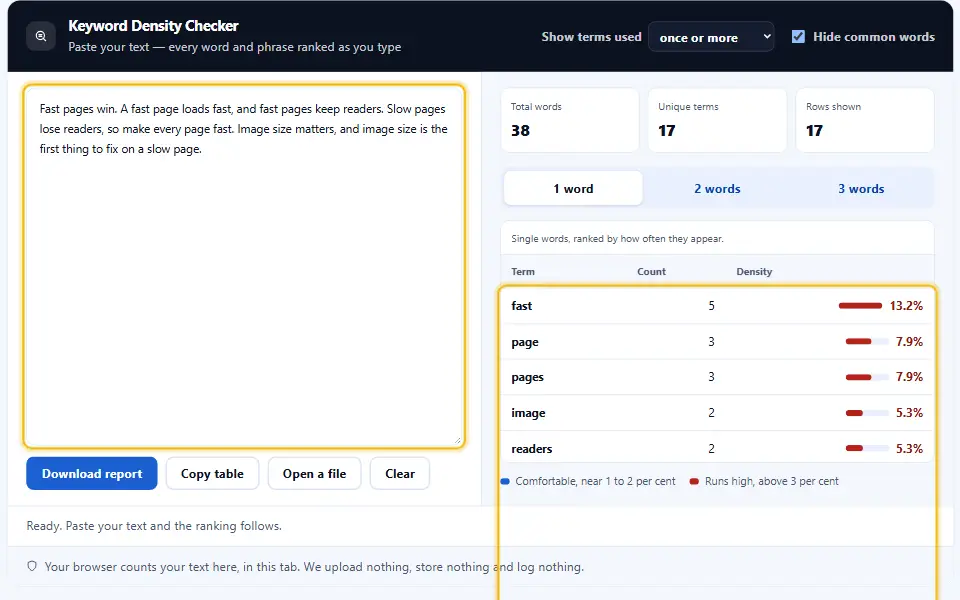
Keyword density is how often a word appears, measured against the total word count. Write "coffee" eight times in a 400-word post and its density is two per cent. Therefore the figure is a ratio, never a raw tally.
A keyword density checker works that ratio out for every word and phrase at once. So instead of scanning the page yourself, you read a ranked table and see what your writing leans on. The checker tallies single words, two-word phrases and three-word phrases in one pass.
The number matters because repetition sends a signal. A little tells a search engine what a page covers. However, too much reads as stuffing, and both a reader and a ranking notice it.
There is no target number, and chasing one backfires. Google's spam policies names keyword stuffing outright.
Healthy Keyword Density, in Numbers
There is no magic figure, yet most guidance lands in the same place: keep a main phrase near one to two per cent. Below that, the topic barely registers. Above three per cent, the text starts to sound like it was written for a machine.

This checker shows a gentle band on every row for that reason. Green sits in the comfortable range, while a bar that runs long is a quiet nudge to vary your words. Ultimately your reader decides, and the reader wants variety.
Why Denwix Counts Word Pairs and Triples Too
One word on its own seldom explains a page. "Density" appears in a hundred topics, whereas "keyword density checker" names exactly one. So the two-word and three-word tabs usually reveal more than the single-word list.
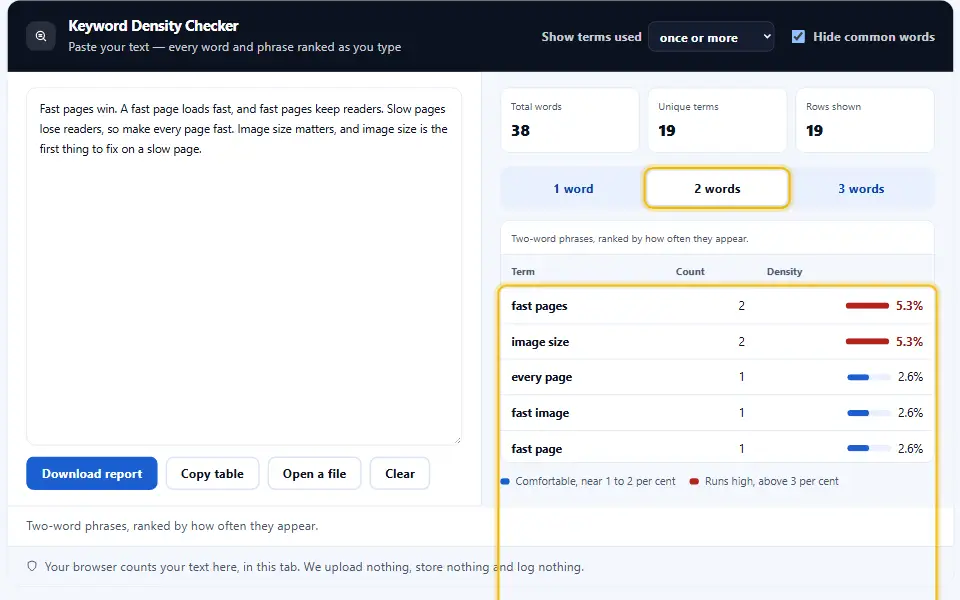
The way people search supports this. People type phrases, not lone words, and matching those phrases is how a page earns the right traffic. As a result, the phrase tabs are where you should spend your attention.
Why Common Words Can Be Hidden
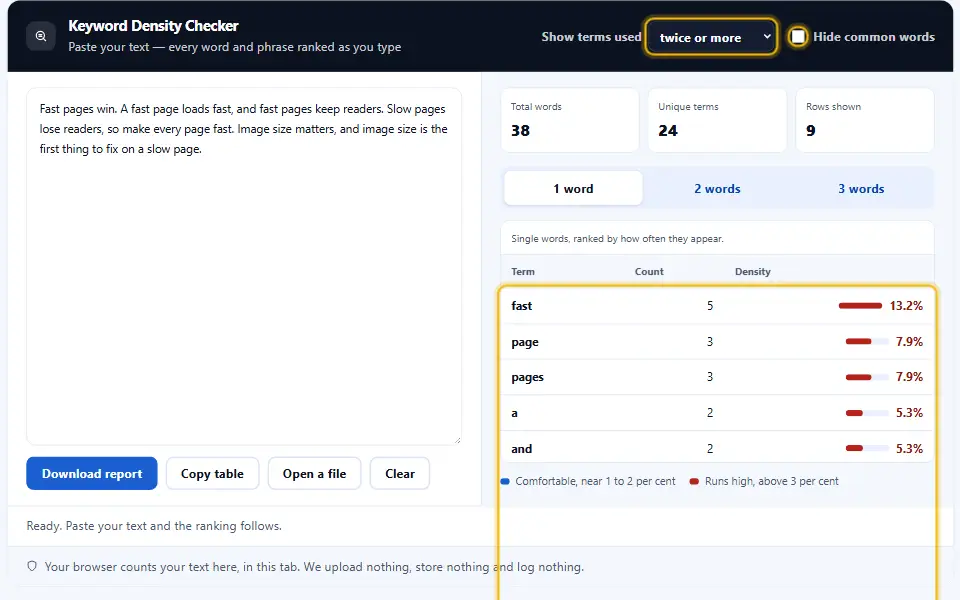
Words like "the" and "and" top every English text and mean nothing about your topic. So this tool offers a switch that drops those stop words, which lets the words that actually describe your page rise to the top.
How to Use the Keyword Density Checker
A short video walks through every step. Then pick your language below, and turn on captions if you like.
Check Your Density in Four Steps
The density table fills in as you paste, with no upload. Your own machine builds the whole report, so your draft never leaves the room.
- 1
Paste your content
Drop in a draft, an article or a product page. The checker reads whatever you give it.
- 2
Pick a phrase length
Flip between one-word, two-word and three-word phrases. Also, hide the common words if you want.
- 3
Read the ranked table
Every term appears with its count and its density. The bar beside each one shows the density at a glance.
- 4
Adjust and recheck
Edit your text, then check again. Meanwhile the page sends nothing anywhere, however many times you run it.
A Keyword Density Tool That Reads Like You Do
A raw word count answers nothing. A ranked, banded table answers the question you actually had.
Words and phrases together
One click switches between single words, two-word phrases and three-word phrases, so you see the topic and not just the vocabulary.
Count and percentage
Every row carries both the raw count and the density, because one without the other tells only half the story.
A comfortable band
A gentle marker shows the one-to-two per cent range. A bar that overshoots is a nudge to vary your wording.
Stop words on a switch
Hide the "the" and "and" that top every text, and the words that describe your page rise to where you can read them.
Your total, always visible
The word count sits above the table, so every density has a denominator you can see rather than guess.
Nothing leaves your tab
Your content never travels anywhere. There is no request, no storage and no log, so unpublished drafts stay yours.
Using Keyword Density Without Overdoing It
A few small habits keep density a guide rather than a trap.
- Put the reader ahead of the keyword. Draft naturally, then check. Therefore density describes your writing rather than dictating it.
- Target a band rather than an exact figure. One to two per cent for a main phrase is plenty. Chasing an exact figure makes prose stiff.
- Favour phrases over words. Read the two-word and three-word tabs. People search in phrases, so those rows matter most.
- Use synonyms on purpose. If one word runs long, swap half of them. As a result the page reads richer and ranks no worse.
- Hide stop words while editing. Turn the filter on to see the terms that carry meaning. Then you spend your attention where it counts.
- Recheck after every edit. Density shifts as the text grows. So the figure you trust is the one from your final draft.
Mistakes That Density Chasing Causes
Almost every "why is this page not ranking" story includes one of these three.
Stuffing the same phrase
Repeating one term to hit a figure reads as spam. Search engines discount it and readers leave.
Ignoring the phrases
Single words look tidy but hide the topic. The three-word rows are where intent actually shows.
Trusting one magic number
No single density guarantees a ranking. Treat it as one signal beside many, not the whole game.
Keyword Density Checker FAQ
Which keyword density should my page aim for in 2026?
For a main phrase, one to two per cent suits most writing. Below that the topic barely registers, and above three per cent the text starts to read like it was written for a machine rather than a person. Use the range as a pointer rather than a law.
How does this keyword density checker count phrases?
It reads your text into words, then slides a window across them to build two-word and three-word phrases. Each tab ranks the terms of that length by how often they appear, alongside their share of the total word count.
What are stop words, and should I hide them?
Stop words are the common words like "the", "and" and "of" that top every English text and say nothing about your topic. Hiding them lets the words that describe your page rise to the top, which is usually what you want while editing.
Does high keyword density help my ranking?
Not on its own. A little repetition tells a search engine what a page covers, but too much reads as stuffing and gets discounted. Density is one signal beside many, so write for the reader and use the figure as a check.
Does the text I paste here ever reach a Denwix server?
No. The whole checker runs inside your browser tab. There is no request, no storage and no log, so you can safely paste an unpublished draft or a client page.
Can I check a long article?
Yes. The tool handles a full article without trouble, and it counts every word before it ranks anything. Larger texts simply produce a longer table, which you can read tab by tab.
More Denwix Tools Worth Opening Next
Every Denwix tool listed here runs locally, with no login and nothing uploaded.
Tallies for words, letters, sentences and minutes of reading, refreshed on every keystroke.
Open tool →Turn a headline into a clean, lower-case URL slug in one click.
Open tool →Swap your text between capitals, small letters, title style and sentence style with one click.
Open tool →
Test your next draft within seconds
Paste your content, read the ranked table, and see what your writing repeats. Nothing travels anywhere and nothing sticks around.