Password Generator
Generated locally on your device. Never sent or stored anywhere.
The Ultimate Guide to Creating Unbreakable Passwords Online
A single data breach can expose your entire digital life. Using weak or recycled passwords across multiple websites is one of the biggest security risks today. To protect your personal information, financial data, and online identity, you need a robust solution.
Our Password Generator tool offers a free, instant, and completely secure way to create uncrackable passwords directly on your device. This article explores why strong passwords matter, how our tool works, and step-by-step instructions to maximize your digital security.
Why You Need a Strong Password Generator
Many people create passwords using familiar names, birthdays, or sequential numbers like "123456". Cybercriminals use automated "brute-force" programs that can guess these predictable combinations in milliseconds.
A high-quality Password Generator eliminates human predictability by using true randomization. Here is why using a dedicated generator is essential:
- Prevents Cross-Account Breaches: If one website gets hacked, attackers will try that same password on other platforms. Unique passwords isolate the damage.
- Defeats Automated Hacking: Random strings of characters defy dictionary attacks and predictive algorithms.
- Meets Strict Platform Requirements: Modern websites require a complex mix of character types. A generator formats these perfectly every time.
100% Secure & Private
Your data never leaves your computer. The tool utilizes local client-side scripts to build passwords directly in your web browser. Because no data is transmitted over the internet or stored on a database, it is completely impossible for anyone to intercept your generated credentials.
Instant Visual Strength Meter
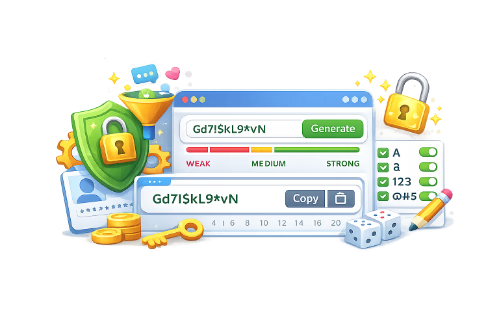
You do not have to guess if your password is safe. The interface includes a real-time progress bar that evaluates your settings. It dynamically updates to show a strong rating and a maximum security score when your layout configuration reaches optimal visual complexity.
Granular Customization
Every website has different security rules. Our tool gives you complete control over length parameters and character choices. This ensures your newly generated keys comply perfectly with any strict registration form or platform rules you run into across the web today.
How to Use the Password Generator: Step-by-Step
Creating a bulletproof password takes less than five seconds. Follow these simple steps based on the tool interface layout:
Set Length
Toggle Character Sets
Generate & Copy
Step 1: Choose Your Password Length
Locate the Length field on the left side of the dashboard. Use the up and down arrow buttons to adjust the total character count. While the default is set to 12, security experts recommend pushing this to 16 or higher for maximum protection.
Step 2: Select Character Types
On the right side, you will see four distinct parameter boxes. Toggle these checkboxes on or off to match your needs:
Step 3: Generate the Password
The tool automatically creates a password based on your active checkboxes. If you want a fresh variation, simply click the purple Refresh/Rotate button located inside the right edge of the password display box.
Step 4: Copy and Save Safely
Click the prominent purple Copy Password button. The string is immediately saved to your device's clipboard, allowing you to paste it into your registration form or password manager without highlighting or manual typing errors.
Best Practices for Password Management
Generating a strong password is only half the battle. To maintain a secure digital footprint, implement these
- Use a Dedicated Password Manager: Do not write passwords down on paper or store them in unprotected text files. Use an encrypted password manager to organize your complex keys.
- Enable Two-Factor Authentication (2FA): Treat 2FA as a mandatory second layer of defense. Even if an attacker uncovers your password, they cannot access your account without your physical mobile device or security key.
- Update Critical Keys Regularly: Change the passwords to your primary email, banking portals, and primary social media accounts at least once a year.
Frequently Asked Questions
Yes. The tool runs entirely in your web browser. No data is sent to a server. Your passwords cannot be intercepted.
We recommend a minimum of 12 characters. For sensitive accounts like banking or email, 16 or more characters is ideal.
Mixing character types increases total randomness. This makes it exponentially harder for hacking software to guess your password.
Useful Tools