SVG Compressor
Remove Bloat, Keep The Drawing
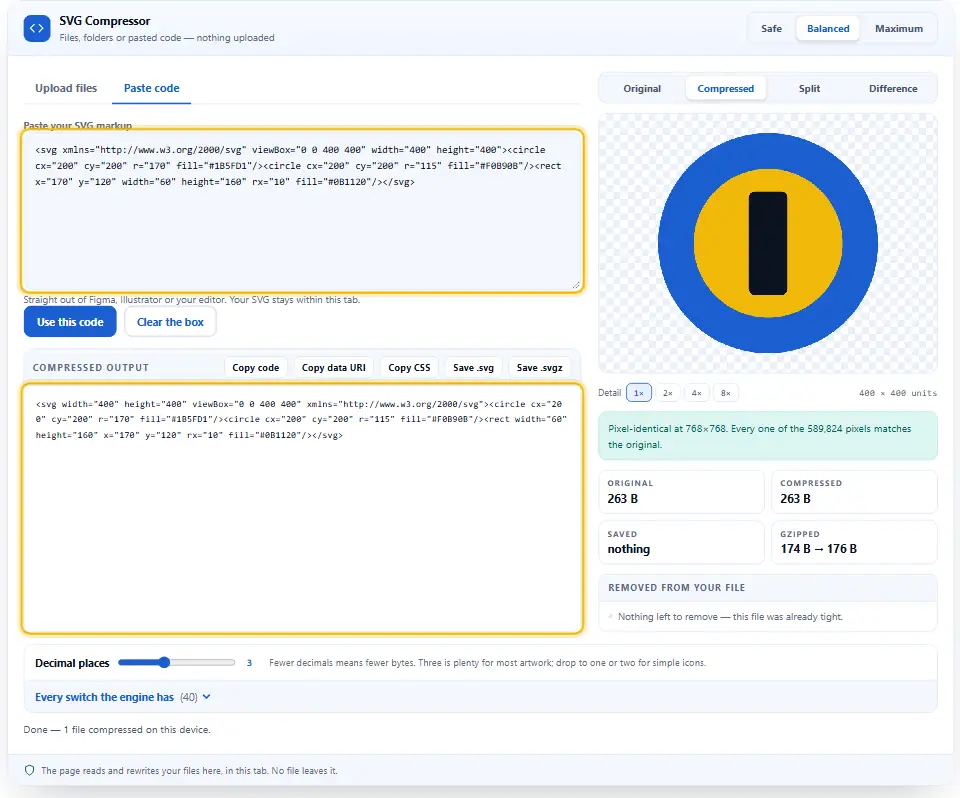
The Free SVG Compressor rewrites your files within your browser to make them smaller. Just drop your file(s) into the compressor, choose the compression level you want (strength), view the preview of what it will look like when compressed and click save. The original drawing remains on your device.
- FreePrice
- NoneUploads
- Up to 100Batch
- 30-70%Typical saving
Compress SVG files and code right here
Pick a strength, watch the bytes fall, and check the preview before you save. This SVG compressor shows the real saving on every file, in bytes and in gzip, the moment one finishes.
SVG Compressor
Files, folders or pasted code — nothing uploaded
Straight out of Figma, Illustrator or your editor. Your SVG stays within this tab.
Your file will be drawn here, next to the original.
Removed from your file
Every switch the engine has (40)
Safety
Cleanup
Numbers and paths
Structure
Styles and ids
Size and output
Ready. Drop SVG files, or paste code on the Code tab.
Run it on a test page before the live one
Keep a copy of your original code and try the result on a test page before you replace the live file. No automatic tool can see every way your site uses its code.
What Exactly Does an SVG Compressor Remove?
An SVG is a drawing created by writing code (or text), and most editors will create a lot of extra code that is unneeded. So, an SVG compressor will read the code, remove all of the unnecessary code, and then write the drawing again in fewer bytes.
Most of an exported icon is packaging: editor notes, hidden layers, long decimals. Meanwhile the shape itself is a few hundred characters.
Since SVG is a type of markup language, it can be compressed just as other types of markup languages can. The SVG 2 specification has listed all the elements that are safe for this page to remove.
Where It Helps Most
Icon sets are the biggest winners from this, since the savings will be realized for each of your files. Next is inline SVG in your HTML; the browser must download the HTML code before it can render anything.



How the Compressor Keeps You Safe
The first thing this tool does is remove any scripts and/or event handlers from the SVG file. It will tell you how many were removed, and so any file arriving at your computer with a payload (i.e., script) will arrive there without one.
See the SVG Compressor at Work, Start to Finish
This brief video shows each step from start to finish. Choose your language below, and switch on captions if they help.
Shrinking an SVG in Four Moves
You skip both the installer and the Denwix sign-up.
Add your artwork
Drag and drop
.svgor.svgzfile(s) into the box, or copy/paste your markup onto the Code tab.Pick a strength
The Safe mode does not move any pixels. The Balanced mode is appropriate for most of the artwork. The Maximum mode takes it a step further.
Check the preview
To compare, use either "Compare" to check against the original, or select "Difference" to view the specific pixels that have been modified.
Save the result
Copy the code, copy a data-uri, or download the file. You may also get the entire batch as one zip.
What Makes This SVG Compressor Worth Using?
Most tools online ask you to upload first. That hands your artwork to a stranger for a job your browser can already do.
Your SVG is minified on your machine, not on Denwix
No fetch, no form posting, no data stored. When an unreleased logo is processed by our site, it will not be sent to either of our servers nor to any other server.
It strips out scripts and other risky parts
Scripts,
on*handlers and external references are listed before other items, and the panel displays the total number of scripts/handlers/references that were identified.You see every change
The previews are both drawn on either side of each other, with a comparison. Trust what you see in the previews.
Measured savings, in gzip too
Each row prints the real byte count both ways, plus the gzip size your server would send.
Forty switches, not a black box
All passes appear in the list, and you can turn each one off if desired. Each pass that may move a pixel is labeled.
No account, no limits
You can convert one file or a whole group of files without an account, since the files are processed on your computer.
How To Get The Smallest SVG File
A few choices decide whether you save a little or a lot.
- Start on Balanced. Move to Maximum only while the preview still looks right.
- Drop the decimals. Three places suits most drawings; one or two saves more on simple icons.
- Mind the viewBox. The icon can be sized by CSS if the width and height are removed, but a
viewBoxwill need to remain so the icon maintains its aspect ratio. - Judge by the gzip figure. The size of the compressed file sent from your server determines how long the visitor will wait for it.
Errors That Wipe Out The Size Savings
Two habits cancel out the saving.
Uploading client artwork
The most online applications will send your files over to their servers to complete jobs that the browser is capable of doing by itself.
SVG Compressor FAQ
Does the Denwix SVG compressor send my file anywhere?
Your browser processes the document, modifies its structure (markup) and then returns it to you. That means everything occurs within your current tab. When you close your current tab, all operations will cease.
By what percentage will the Denwix compressor shrink my SVG?
Typically 33 to 66 per cent. Editor output saves most. A file somebody already optimised may barely move, and the tool says so.
Will it change how my drawing looks?
The default settings in Denwix do not affect those areas. But, unless you select "Maximum," all the passes that could potentially change a pixel will be disabled. Also, there is a Difference View available for checking purposes.
Does it remove scripts from an SVG?
Yes, before anything being processed. In addition, it removes all scripts, event handlers, and links to external sites from the downloaded file, making the icon safe to be included directly in the document.
More Free Denwix Tools
Same rules: no account, no upload limit, no charge.
- PNG to WebP Converter
Convert photos and screenshots to a lighter format.
- Password Generator
A long, random password made by the browser crypto API.
- Shortlink Generator
Swap a lengthy URL for a compact Denwix link.
Want Lighter SVG Files Now?
Drop the files in, pick a strength, then save. None of your artwork leaves this device.