Image Alt Text Checker
Every Image, Judged In Words
This image alt text checker reads every image on a live page and says, for each one, whether its alt text helps a listener. It flags missing alt, file names and generic words, and it tells linked images apart from decoration.
- FreePrice
- EightChecks
- NoneSign-up
- NothingStored
Image Alt Text Checker
Every image on a page, the alt text it carries, and the alt text it is missing
- Images
- 0
- No alt at all
- 0
- Marked decorative
- 0
- Needs work
- 0
- Already fine
- 0
| # | Image | Alt text | Verdict | What to do |
|---|---|---|---|---|
| Paste an address above and the images land here. | ||||
Ready. Paste any public address and this server reads the images on it once.
Helpful guidance, not a promised ranking
These checks follow public search guidelines. Search engines rank pages on many signals no tool can see, so use the results to improve the page, not as a guaranteed position.
How to fix the errors this tool finds
Short guides, each with a quick video, for the issues this check can flag.
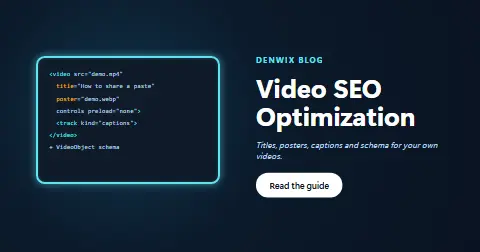 Video SEO Optimization: Name, Mark Up and Speed Up Your Videos
Titles, posters, captions, VideoObject schema and sitemaps for videos on your own site. Plus how to fix a player with no title.
12 minutes of reading · video guide inside
The Job Alt Text Does on a Page
Alt Text replaces images on websites when people are unable to view them.
Blind people will hear the screen reader describe the image. If there are problems with loading the image file, then the visitor will see the description on their computer screen. Because this is the most direct way to explain what an image represents, search engines will also read the description.
So, the issue isn’t simply whether the image has alternate text. Rather, the concern is whether the wording would make sense to someone who isn’t able to view the image at all.
That is the question that this tool will ask of every image and every alt tag that is used on the page, and it will answer those questions with simple language, as opposed to giving a pass/fail. If you have a long article, you will get the entire list of all alt tags along with a score for each one. This allows the worst alt tags to be placed at the top of your list.
Why a Missing Alt and an Empty Alt Aren’t the Same
Leaving out the alt attribute is a mistake. Without anything for the user to hear, most screen reader software will default to reading the file name such as "IMG_4031.jpg."

An empty alt, written alt="", is a decision instead. It tells assistive technology to skip the image, which the W3C guidance on decorative images recommends for a divider, a background shape or an icon beside a word that already says the same thing.
This is why the checker counts the two separately. The first must be fixed, but the second typically doesn’t need to be.
Why A Linked Image Matters Most
If there are no other elements within a link besides an image, then the alt text associated with that image will be used to create the name of the link.

Without this, the link is nameless and so a screen reader will announce either the URL (address) or just "link." If a person uses their keyboard to tab through the page, they are presented with several stops that are all identical and without names.
For this reason, the first listed rows are those. Also, when using alt text for an image within a link, the alt text should find the destination of the link and not give a description of the image.
Alt Text That Passes And Still Fails
The most validators only check for whether an attribute is present in a document. So, alt="DSC00412.jpg", alt="image", and alt="banner" are accepted by most validators even though each gives little value to someone listening to your page.

The word checker will read the words, identifying files and cameras (as well as open phrases like "image of" that a screen reader reads before reading the words).
It also notices the same alt text repeated across three or more different images, since that is usually a theme default rather than a description.
Copies Inside Noscript
Lazy loading plugins will typically include a second copy of every image that was lazy loaded into the noscript tag for use by search engine crawlers. The checker will find these copies and remove them from the counts, so no image should ever be rated more than once.
Alt Text Length: Aim Below 125 Characters
Many screen readers will stop reading (or at least be difficult to understand) when there are more than 125 characters in a line. So, one long sentence can often work.

When an image needs further explanation (e.g., a graph or chart) place this detail either within the image’s caption or near the image in the body of the article. Shorten the image’s alt text and use it to direct the reader to that location.
Limits of the Alt Text Checker
It’s reading the same thing that a web crawler sees when it gets the page from the server. As a result of this, any image that was added to the page by a script after the page loaded, or any image that was used as a background for a CSS element will not show up in the results.
Since there is no way for a CSS background image to include alt text, if a CSS background image gives meaning, then that meaning should be included within the use of an tag.
A Quick Walkthrough of the Image Alt Text Checker
This brief video shows each step from start to finish. Choose your language below, and switch on captions if they help.
Working With the Image Alt Text Checker, Start to Finish
One address in, one row per image out, with the problems listed first.
Paste the page address
All public pages will work. A bare domain will also work since https:// is added automatically.
Press check
The page is read once by this server and all images and frames found on it are returned. At no point will you see the page itself.
Begin with the rows marked red
Linked images without alt come first, since those links have no name. Then come images with no alt at all.
Use the suggested words
When a file name can be understood, the checker makes a beginning statement with it. Before using this as a true description, make sure you edit it.
What Sets This Alt Text Checker Apart
Most checkers count attributes. This tool reads the actual wording.
Eight verdicts, not two
Missing, Linked, File Name, Redundant, Repeated, Too Long and Decorative. Each of the findings from Denwix will have an explanation.
Linked images first
The entire image which acts as a link will work out what the link is named, so these issues appear first on the list.
A suggested fix beside each image
With each of your problems you will find a new instruction on what to do next. You may also find a introductory sentence that was created using the file name.
Decoration left alone
Alt="" and aria-hidden are considered decisions, not errors, as these represent the correct answers for a divider.
Frames, video and audio checked too
Embedded maps, videos and audio players have no alt tags. They are identified by their "title" tag; so, frames and players that do not contain a title tag will be flagged.
Export in one click
Copy the report or download it as CSV, then hand it to whoever edits the page.
Habits for Writing Useful Alt Text
Eight habits that turn an attribute into a description.
- Say what the picture tells the reader, not which colours it holds. Ask yourself what the image adds to the site. Describe the product in a product photograph, and the main point in a chart.
- Name the destination on a linked image. If an image is used as a full link, then the image’s alt text will be used as the anchor text for the link. So, "Read Our Pricing" would be better than "Blue Arrow."
- Leave out "image of". Screen readers always state ’image’ before the alt tag description. Start by working out what the image is mainly about.
- Use alt="" for decoration. Dividers, flourishes and background shapes should be skipped, and an empty alt is how you say so.
- One sentence, under 125 characters, is enough. Past about 125 characters the detail belongs in a caption, where everybody can read it.
- Write text that is in the image. When a banner has "Summer sale, 30 per cent off," it needs to have an alt text that states the same thing. Otherwise, if you are listening to your screen reader, you will not know about the sale.
- Do not stuff keywords. The alt-text written for the search engine will sound awful when spoken. Also, if you use a natural sounding description you’ll be using the key phrases.
- Run the Denwix check again after every redesign. Themes and Page Builders Reset Alt Text More Often Than Most People Realize, So Run the Check Again Each Time You Change the Template.
Six Alt Text Mistakes That Pass Validators
Each of these has an alt attribute, and each still leaves a listener guessing.
The camera file name
The alt attribute "IMG_4031" is what an upload will leave behind. This value will pass through all validators, but it does not describe anything.
One generic word
"Logo," "image," and "banner" are categories; so, describe whose logo it is or the product or service the banner promotes.
The same text everywhere
A gallery of twenty photos all called "Our work" gives a listener one fact twenty times.
A whole paragraph stuffed into the attribute
A long alternative text can neither be skimmed nor stopped. Place details in a caption, and make sure that your alt is short.
A link whose image has an empty alt
alt="" on the only thing inside a link leaves the link with no name at all.
Keywords instead of words
When you read a list of search terms out loud, it sounds like junk mail and doesn’t help anyone locate your website.
Questions About Alt Text
What is alt text?
This is what appears within an image’s alt attribute. Screen readers will say it aloud, web browsers will display it if the image cannot be loaded, and search engines use it to work out the content of the image.
Should decorative images carry alt text too?
The alt attribute must be included with every image tag, regardless of whether it contains content. Decorative images are to get a blank alt attribute (alt="") so that they will be ignored by screen reader software.
Can better alt text help my images rank higher?
Yes. That’s how a search engine knows what an image represents, so it’s important for image searches. But remember to write it for humans first, because that will read better to a search engine too.
How many characters should alt text use?
This is the most effective sentence length for your photo captions (under 125 characters). Longer explanations should be included in a visible caption.
Why does Denwix check alt but not the title attribute on images?
For those who can’t view the image, the alt text is used instead of the image. The title is optional and can be used as a tool-tip. But, since many screen readers do not recognize the title, it cannot be used in place of the alt text.
Why does the checker flag my logo?
Usually because the alt text says only "logo". Say whose logo it is, and if it links home, say that instead, such as "Denwix home".
Why do some pictures not appear in the Denwix list?
The tool views the page as the server sends it. Any images that have been added to the page through scripts after the initial load or as part of a background image on a style sheet (CSS) will not appear in the HTML that the tool is analyzing.
What are the noscript copies?
Many lazy loading plugins put a second copy of each image inside noscript for crawlers. They are listed, although they are left out of the counts.
Can the Denwix checker read a page that needs a login?
No. This page must be publicly accessible, as the server will read it in the same manner that a non-registered user would view it.
Does Denwix keep a copy of the page I check?
No. The address reads once and then disappears, and the server does not retain a copy of the web page or report.
Tools For Checking Images
Alt text is one question about an image. These answer the others.
- Lazy Loading Checker
Which images load too early, and which wait too long.
- Image Size Finder
Width, height and file weight, measured in your browser.
- Image Converter
Turn heavy images into WebP or AVIF without uploading them.
Want To Check Your Images Now?
Enter a URL and get a decision for each picture on that page. It is a free alternative to using a tool that needs you to log in or create an account to use; it also does not store any info from the page.