Image Size Finder
Dimensions, Weight and Format
The free image sizing tool will display the exact dimensions (width and height), file size (weight) and file type (format) of all images that you put in the program. To begin, place your images in the program. Next, look at the results. Lastly, copy all of the info from the results into a spreadsheet program; none of the info will ever leave the tab where it was generated.
- FreePrice
- Not neededAccount
- NoneUploads
- 200 imagesAt once
Image Size Finder
Width, height, weight and format — measured in this tab
- Images
- 0
- Total weight
- —
- Heaviest
- —
| File | Dimensions | Weight | Format | Ratio | Megapixels | Bytes / pixel | Notes |
|---|
No images yet. Drop some above and every one of them appears here.
Ready. Drop your images above.
What Does an Image Size Finder Tell You?
A photo size calculator will tell you the exact dimensions of a photo (pixels), how big the file is (bytes), and the file type. A calculator can do this quickly, while a photo editor takes some time to open the photo and display those details.
Size refers to either pixel dimensions (width x height) or file size in kilobytes (KB). You will need both of these values. The dimensions will work out the clarity of an image when viewed on a monitor. The file size will affect how long a user has to wait for an image to load. It is possible that an image can be excellent on one dimension, but poor on the other.
This tool reads both at once, for as many files as you like. Therefore you can check a whole folder before it reaches your site, rather than finding the 4 MB hero image after somebody complains.
A single image size rarely fits all screens. MDN’s Guide to Responsive Images illustrates how you can give multiple versions of your images for the browser to select from.
Why It Reads the Bytes, Not the File Name
A file named photo.jpg does not always represent a JPEG. All of the following will freely change format names: files created by taking screenshots within a browser; files downloaded from a chat application; files exported from a design tool. After changing the format name, it gives no info about what kind of file it is.

This program reads the first few characters of each page and reports on what is contained within those first few characters. If the file name does not match the content, the program will state this in the notes column. This one simple check can help find a large percentage of mysteriously large pages.
The Figure Other Checkers Leave Out
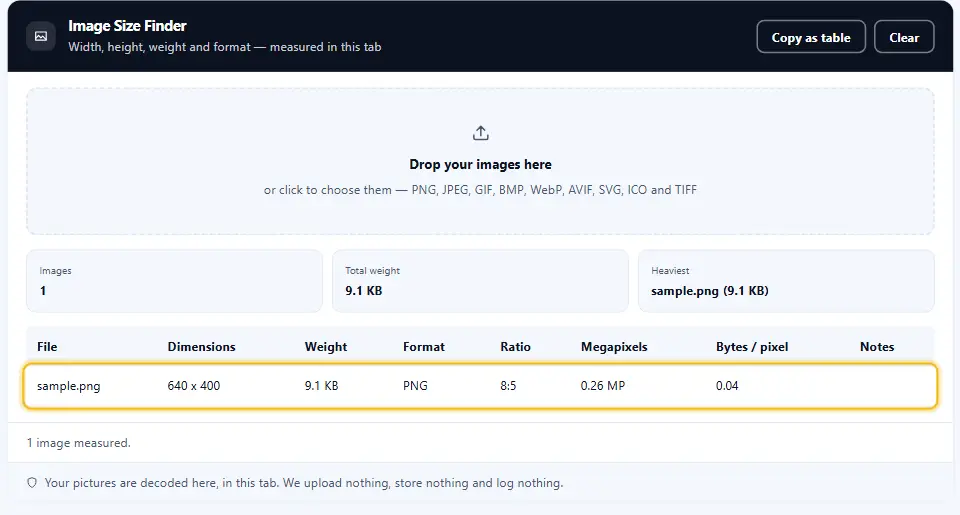
The number of bytes per pixel is the most accurate indicator of whether a file is "heavy" relative to its content. A photograph with about 0.2 bytes per pixel is considered good. But, a photograph that has a bytes per pixel ratio of 2.0 or higher is carrying many more bytes than necessary.

That number will let you know what files need to be converted and what files do not need conversion. So, you can make informed decisions based on this data rather than guessing, and focus your efforts on the worst performing files first.
How SVG Is Handled
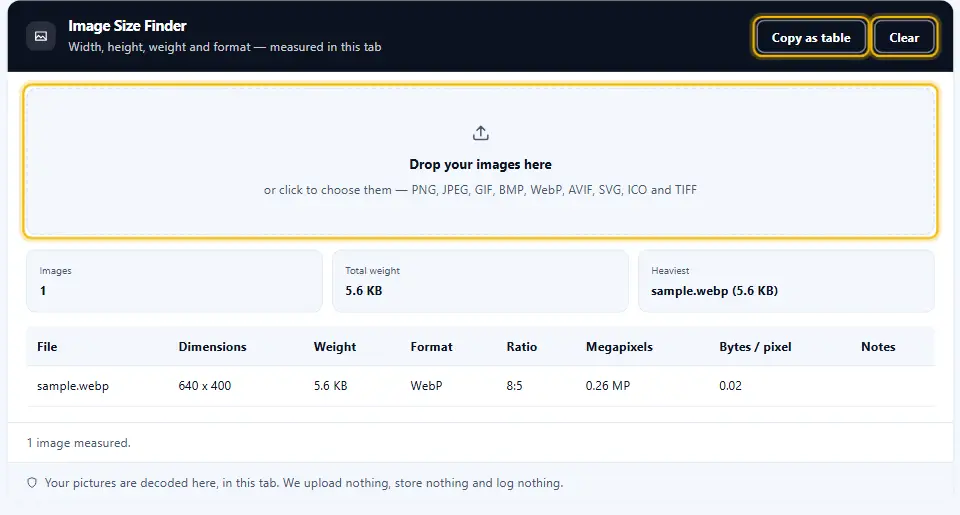
The SVG file doesn’t use a pixel grid like most other image formats, so it doesn’t need to be decoded. Instead, the tool will read the width, height and viewBox from the XML code of the SVG file. It will tell you which of these properties the image was created based on instead of making up numbers.
See the Image Size Finder at Work, Start to Finish
This brief video shows each step from start to finish. Choose your language below, and switch on captions if they help.
Check Image Dimensions in Three Steps
There is nothing to install, nothing to register for and no lines. Everything takes place right within the active browser window.
Drop your images
Drag a whole folder onto the panel, or click to choose files. Up to two hundred pictures per batch.
Read the table
The first row shows all of the following: dimensions, weight, real format, aspect ratio, megapixels, and bytes per pixel.
Copy it anywhere
One button allows for the entire table to be copied, with tabs as separators, allowing the user to paste directly into a spreadsheet.
An Image Size Checker That Measures, Not Guesses
Every figure here comes from the file itself, decoded by your own browser.
It reads the file header to spot a mislabelled format
The initial bytes work out the file type, not the extension. A PNG with a.jpg extension will be identified as such and mentioned in the Notes column.
Bytes per pixel
The one number that says whether a file is heavy for its size. Therefore you know which picture to fix first.
A whole folder of images per drop
You can drop up to 200 files for comparison, while seeing how much the entire collection weighs.
Nothing leaves your tab
Your pictures never travel anywhere. There is no request, no storage and no log, so private photos stay private.
Copies as a table
One button gives you tab separated rows. So the numbers land in a spreadsheet without any retyping.
Getting the Most From This Image Size Finder
A few habits turn these numbers into a faster website.
- Measure before you upload. First check the folder so that the 4MB hero image is prevented from being uploaded to your website.
- Start with bytes per pixel. Sort your attention according to the data in that column, not just its weight. This will help find the files which waste space, as well as those which simply take up a lot of room.
- Match the display size. If a image is displayed at 600 pixels in width, there is no benefit to saving it at 3000 pixels. As such, reduce the size of the image before optimizing it.
- Trust the format column. When you read that someone’s name is false, trust the data. If you convert the opposite direction, it will cost you a day.
- Keep your originals. Edit an exact copy, never the exact original. In summary, protect the primary file in some way before converting any content.
- Copy the table into your ticket. The numbers speak for themselves, much better than a verbal description would. Also, they illustrate the dimensions before and subsequent to.
Image Errors That Make Pages Load Slowly
Three habits account for most of the weight on a slow page.
Shipping the camera original
Many phone photos measure around 4000 pixels across. Displayed at 600, it wastes nearly everything it downloads.
Letting CSS do the resizing
Scaling a large image down by using a width rule is a way to disguise the issue. The entire amount of data will continue to travel to each user.
Trusting the file extension
A renamed file compresses like whatever it really is. So the format column matters more than the name does.
Image Size Finder FAQ
How does this image size finder get the dimensions?
A browser will decode each image and then the program will display the dimensions that were determined by the decoding process. This means that the width and height of an image are the actual sizes of how a browser would place them on a page, as opposed to an estimate based on parsing info from a file’s header.
Do my pictures ever reach a server?
The measurements are taken within the app itself. So, you do not need to worry about any data being stored or transmitted elsewhere; your measurements of private images and confidential client work will remain private.
Which image formats does the Denwix size finder read?
Each of these file formats - PNG, JPEG, GIF, BMP, WebP, AVIF, SVG, ICO and TIFF - are identified by their byte structure. So, even if a file has an incorrect file extension, it will be accurately reported as the correct format.
What does bytes per pixel actually mean?
It divides the file size by the number of pixels, which shows how much weight each pixel is carrying. A photograph near 0.2 is efficient, while the same picture at 2.0 has several times the weight it needs.
Can I drop an entire folder of images in one go?
Yes, you can drag the folder to the panel and it will count how many files are in that folder (up to 200) and then give you a total of all of those files. It will also tell you which file is the largest.
Why does Denwix report a different format than the file extension shows?
This is because the first bytes do not match the file extension, as is common when downloading screenshots or chat logs. The first bytes work out what kind of file it is; once you know that, then you can decide how to compress the file.
More Denwix Tools Worth Opening Next
Every Denwix tool listed here runs locally, with no login and nothing uploaded.
- PNG to WebP Converter
Convert the heavy pictures to a lighter format, keeping transparency intact.
- HTML Minifier
Shrink your HTML without running the words together and do not flatten a block.
Measure your images in seconds
Drop a directory in, read the data, and copy it to any location you would like. No files travel from one machine to another and no files are saved.